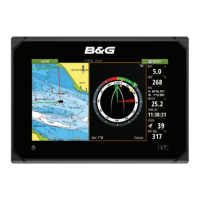
B&G LCD Plotter
Part 2 - Operating Information
HB-0847-02
2-22
2.18.7 Recalling a Track
Press the MENU key and select TRACK. Next, select RECALL to open the
track catalogue and then select the track with the CURSOR keys. Confirm
by pressing ENTER or exit with any other key. If no tracks are present in the
catalogue, the message “NO TRACKS STORED” will appear.
2.19 MARKS
2.19.1 Inserting a Mark
Place the cursor on the selected point and press the MARK key. A window
will open in which to insert the name. Move inside this window using the
CURSOR key. Confirm by pressing ENTER or exit with any other key.
2.19.2 Deleting a Mark
Position the cursor using the CURSOR keys on the mark and press
CLEAR.
2.19.3 Storing a Mark
Press the MENU key and select MARKS. Next, select STORE and press
ENTER to confirm. The memory catalogue will appear containing a name
by default. To name the mark, use the up/down CURSOR keys to choose
the letter and the left/right keys to choose the position. Confirm this function
by pressing the ENTER key; the message “MARK STORED” will be
displayed as confirmation.
2.19.4 Recalling a Mark
Press the MENU key and select MARKS from the menu bar. Next, select
RECALL and press ENTER. In the markers catalogue, select the mark and
press ENTER to confirm. The LCD Plotter will place the cursor on the mark,
the scale will be 4 NM (if available on the chart) and the relative window will
appear. If no markers are present in the catalogue, the message “NO
MARKERS STORED” will appear.



 To Next Page