Bartec USA TPMS PRO Series User Guide Rev5.1 Table of Contents
Page 42
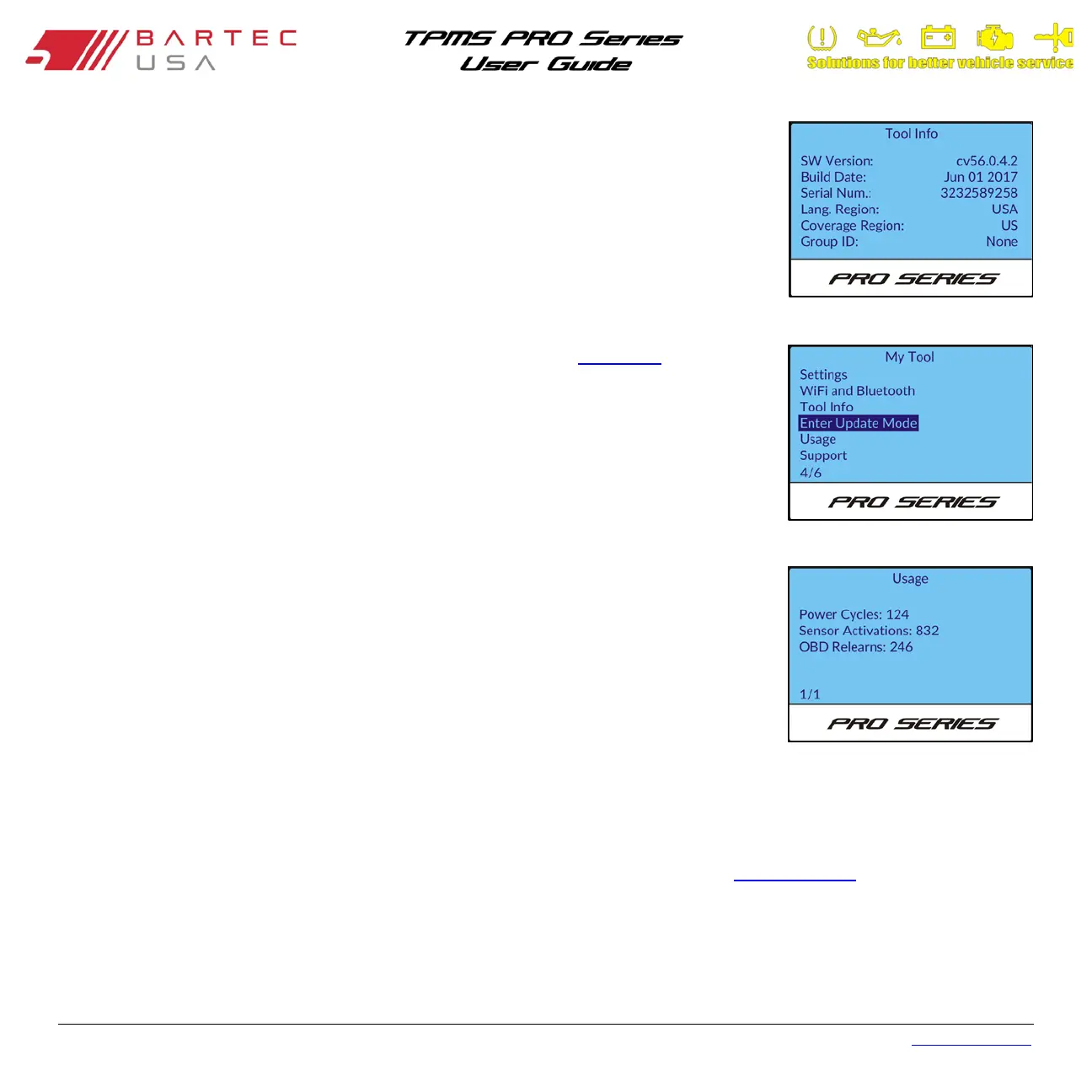
8.5 Tool Info
Select this menu option to display tool information (e.g. serial number, current software
version).
8.6 Enter Update Mode (300PRO Only)
Press Enter on this selection to put your tool into Update Mode (see Section 1.9 for details on
updating).
8.7 Usage
Select this menu option to display tool statistics, including the number of:
• Power Cycles
• Sensor Activations
• OBD Relearns
These tool statistics are static and cannot be reset by the end user.
8.8 Support
Select this menu option to display contact information for Bartec USA Technical Support (see Section 11.0).


 To Next Page