Configuration through graphical interface– 45
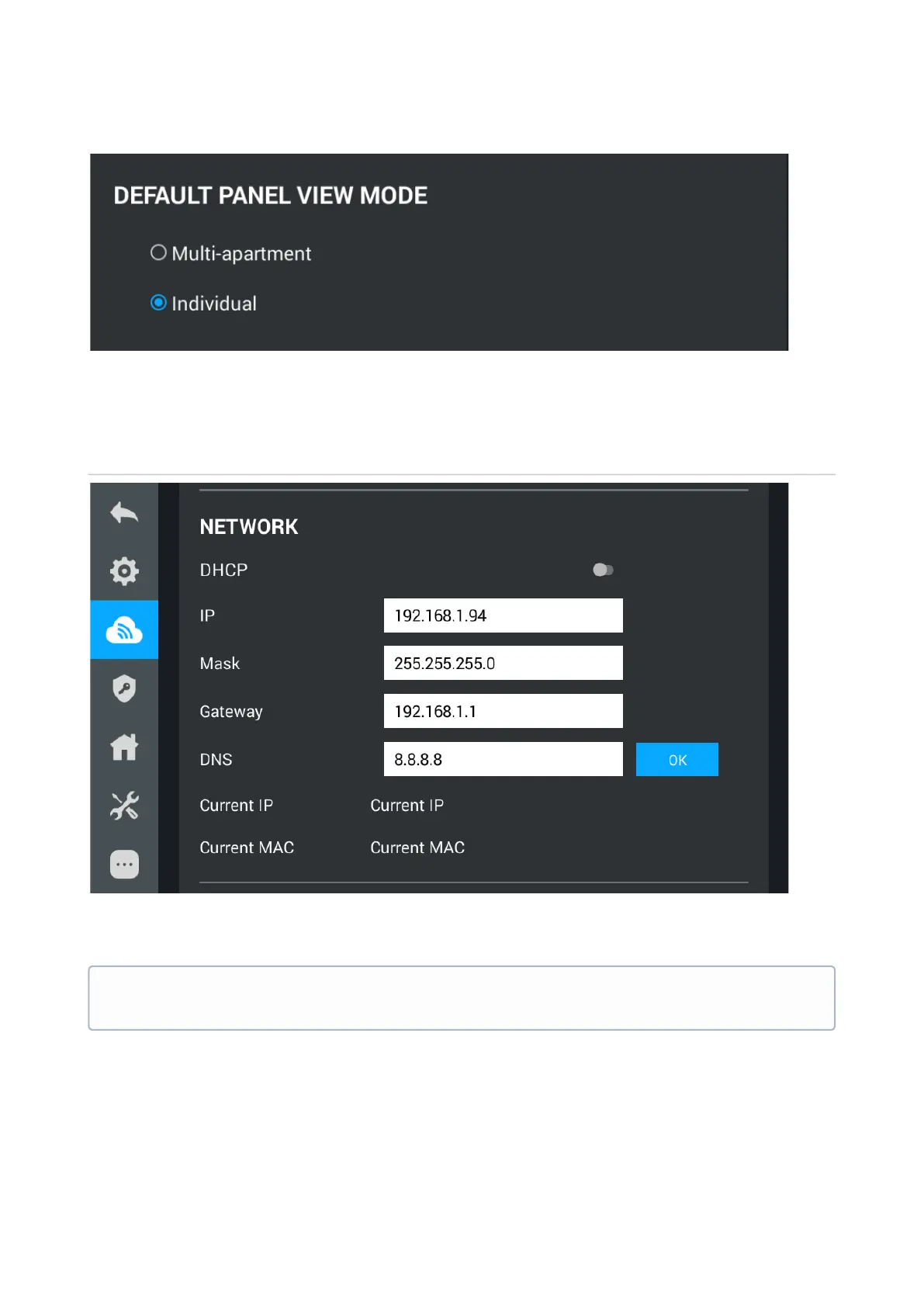
In this menu, you can choose which panels will be displayed when you go to the monitoring
menu.
Network
DHCP:enable/disable mode to get network settings automatically.
IP:Internal monitor IP address.
Mask:Subnet Mask.
Gateway:The main gateway.
DNS:DNS server address.
Current IP: Displays the current IP address of the monitor.
Default values
By default, internal monitor can have a static IP address 192.168.1.90 or 192.168.1.91.



 To Next Page