Configuration through web interface– 65
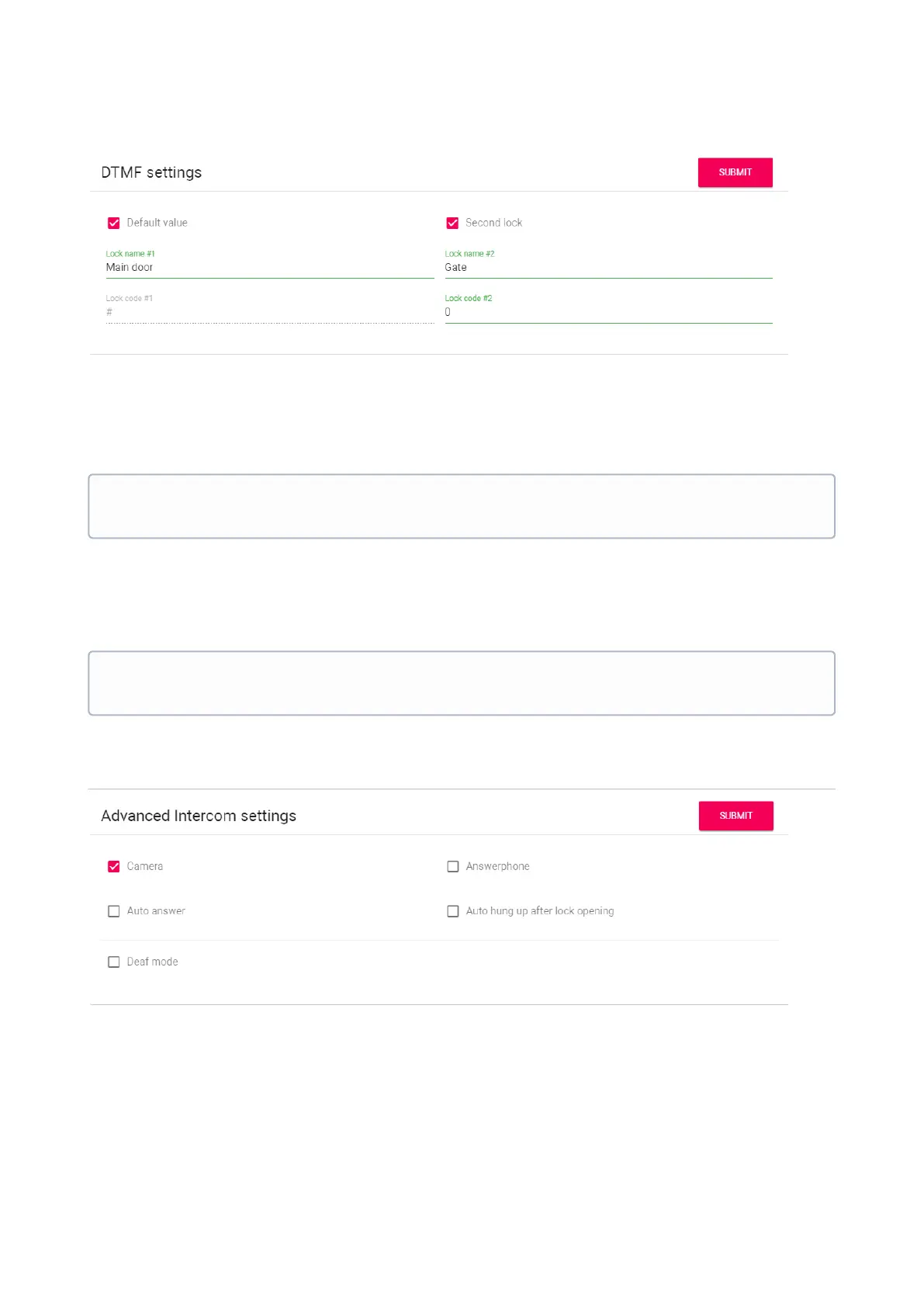
Lock Name #1: The name displayed near the first lock button.
Default value: Enable/disable the function to send a standard value when the button to open the
first lock is pressed (the internal protocol command to open the door).
Lock code #1: DTMF code transmitted when the first lock button is pressed.
Second lock: Turn on/off the button of the second lock, for example when using the SH-42
module or the AV-07T panel.
Lock Name #2: The name displayed near the second lock button.
Lock code #2: DTMF code transmitted when the second lock button is pressed.
Advanced intercom settings
Camera: Turn on / off the monitor camera.
Auto hung upafterlockopening: Automatically end a call 3 seconds after pressing the "Open" button during
a call or before answering a call.
Answerphone: The function of the automatic reception of a call by the monitor after 20 seconds
of not responding to a call to record a video message.
By default, panels are set to open the door when there is "#" DTMF code received to
open the first lock.
By default, panels are set to open the door when there is "0" DTMF code received to
open the second lock.



 To Next Page