B.link
Manual
23 / 32 v.1.1 © 2014 basalte
5.1.3 How to Import / Convert (Discrete) IR Codes
Remote Central.com
IR codes can also be found on the internet, with Remote Central.com providing the largest online
collections of commands (IR and Serial) at http://files.remotecentral.com/library/index.html .
Remote Central.com also includes a large database of discrete codes available at
http://files.remotecentral.com/library/3-1/index.html. These commands include power, input
selection and other useful functions that assist with creating powerful macros .
These codes are provided in Pronto hex format available and need to be converted to the B.link
Flex format using the B.link Convert tool. After conversion, this code can be added to the B.link
application – IR Codes section.
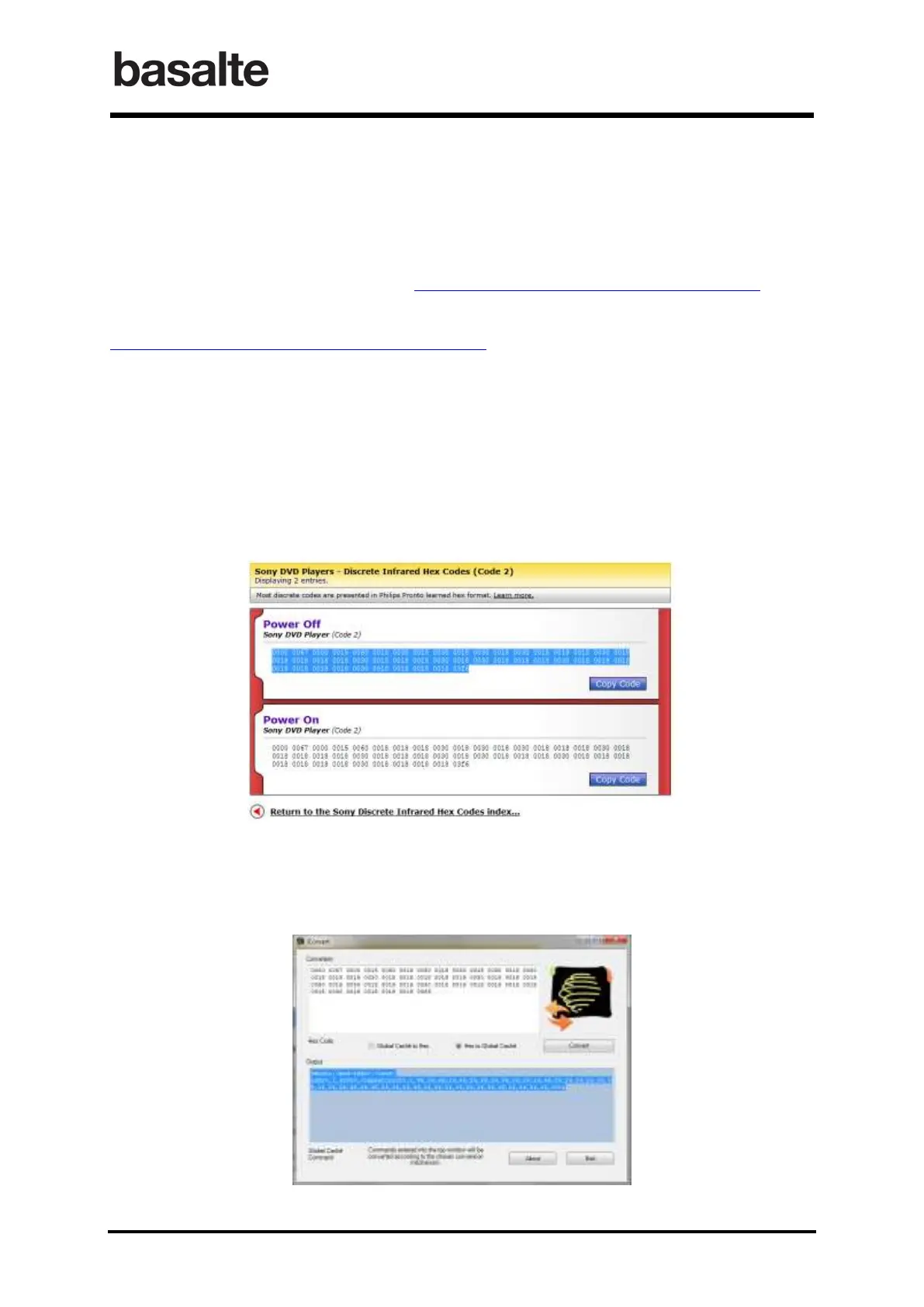
The following screenshots explain how to copy the discrete Power Off and Power On commands
from Remote Central.com, convert and import them into B.link application.
• Copy the hex code. In case the Copy Code does not work, select the hex code and copy it.
• Launch the B.link Convert tool required to convert the hex code to B.link Flex format.
Paste the hex code in the conversion window, select “Hex to Global Caché” and press
convert button.
Select the generated output codes and copy it.


 To Next Page