B.link
Manual
22 / 32 v.1.1 © 2014 basalte
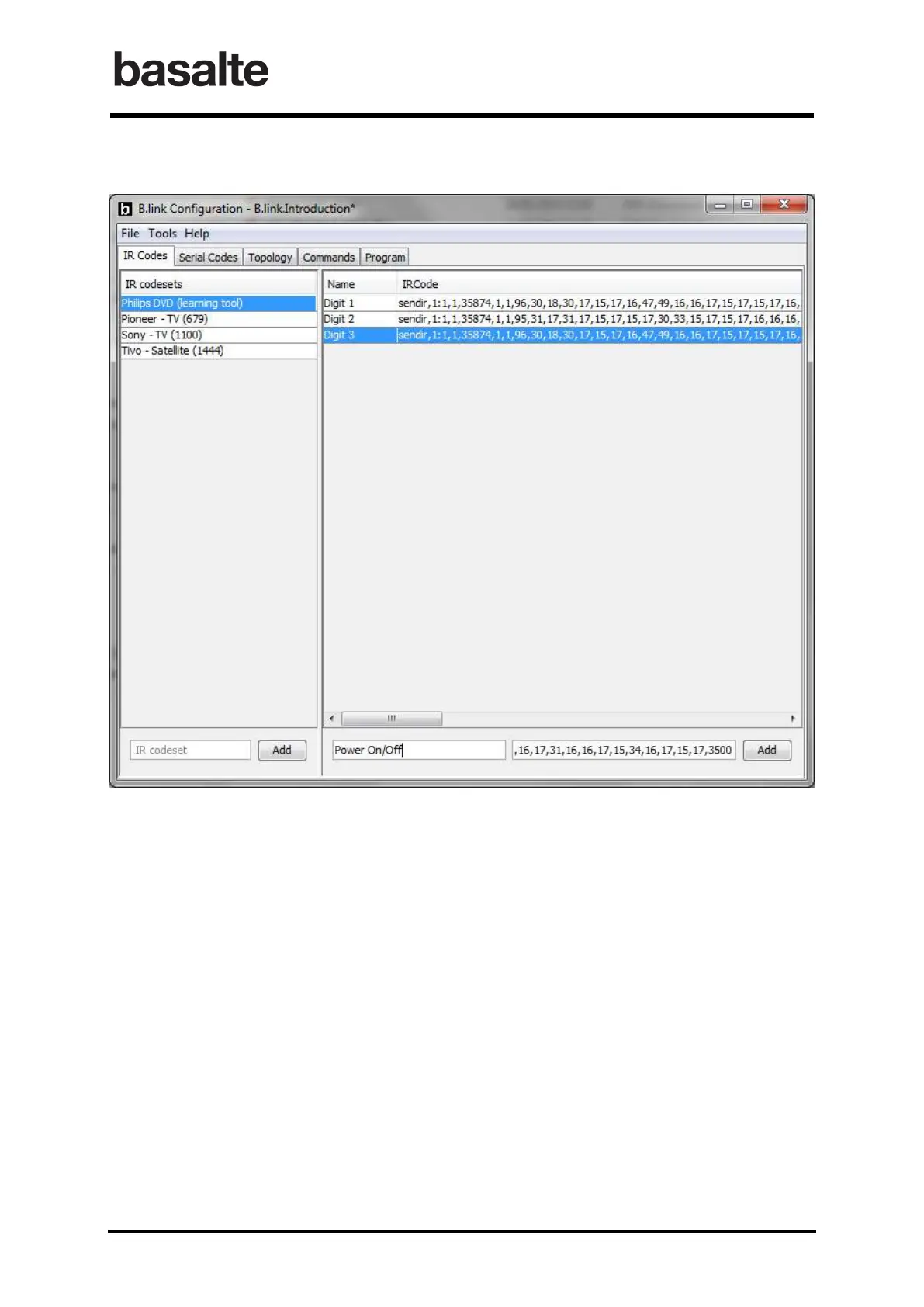
Copy the IR Codes to B.link Configuration Software – IR Codeset
The final step is to copy these codes into the IR Codes section of the B.link software. After
adding a new IR Codeset for the device, each IR instruction can be configured using copy/paste
from either the Learning tool or its output text document.
Remarks on Learning Tool.
The Module value in the Capture Options table designates the physical location from which the
saved IR command will be sent. On an iTach unit, the module containing the network connector
and the power port is designated as module 0. From there, each subsequent module is named
starting at 1 and continuing sequentially to the right. iTach units contain only two modules, 0 and
1, so when saving an IR command for use by an iTach product, make sure that the Module
number is set to 1.


 To Next Page