B.link
Manual
21 / 32 v.1.1 © 2014 basalte
Capture the IR Codes sent by Remote Control
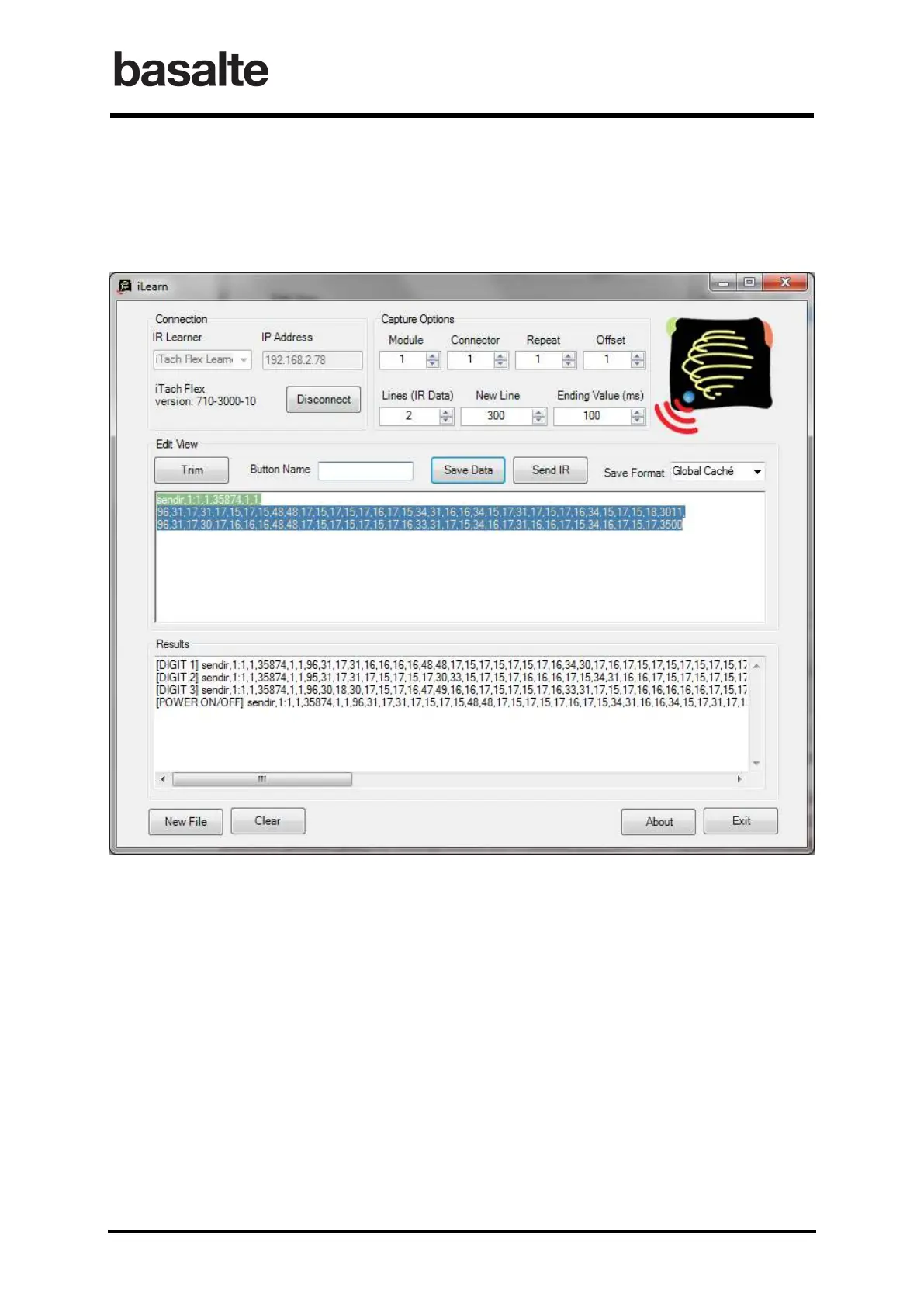
Once the IR code has been registered, assign a Button Name and Save the data (using Global
Caché format). The code name and string will now be saved in the Results section. Repeat these
steps to register all wanted commands and corresponding IR codes.
By default, all IR commands are saved into a “TempIRdata” text document, which is located inside
the Basalte learn parent directory. Click the New File button to define a different name of the file.
The Clear button below empties the Results table and clears the stored commands.


 To Next Page