B.link
Manual
28 / 32 v.1.1 © 2014 basalte
5.4.2 Configuring Commands
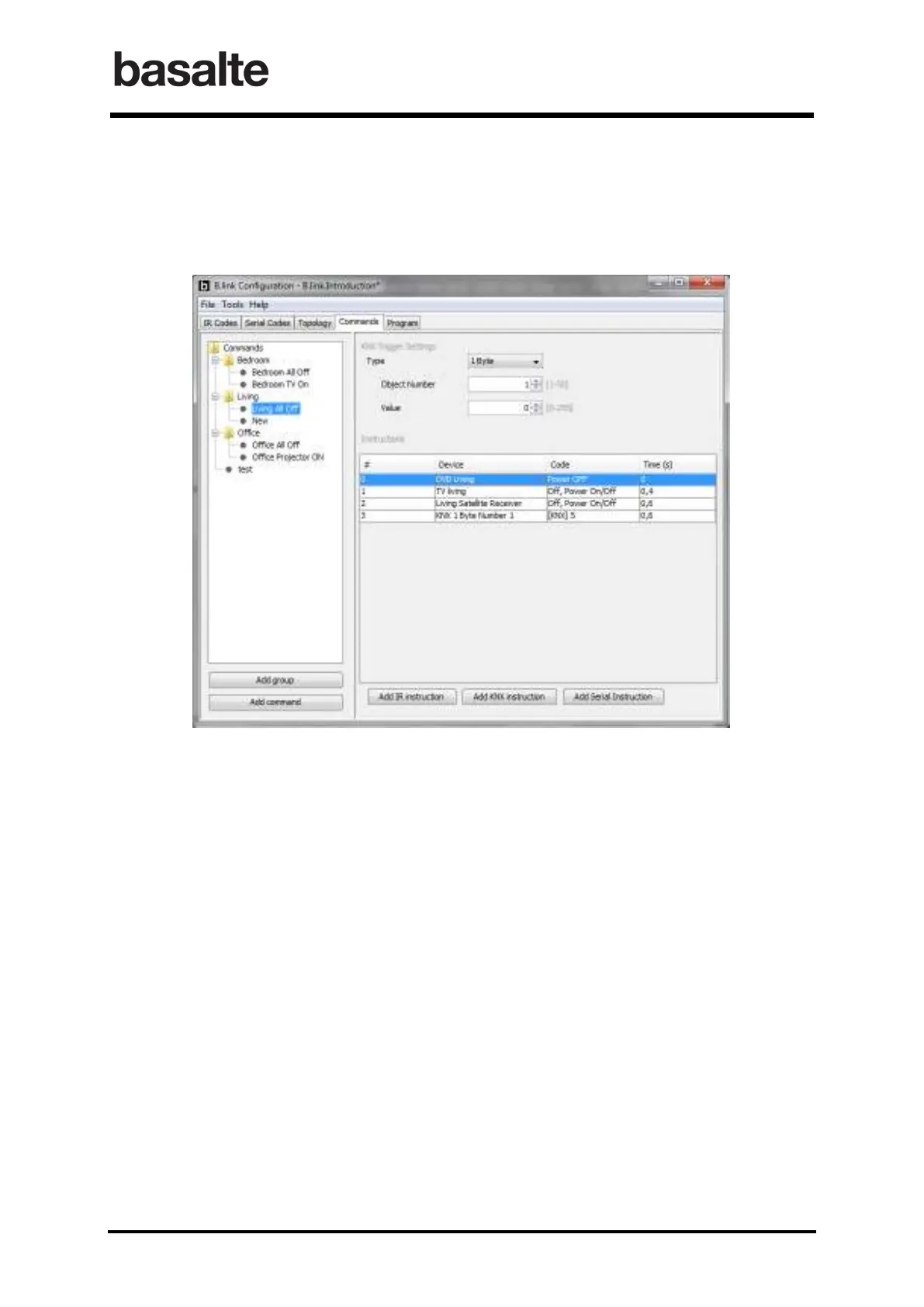
The right pane of the Commands window allows you to configure each macro by defining the KNX
trigger settings and the sequence of instructions. This sequence can be a mix of IR code, Serial
codes and KNX instructions.
KNX Trigger Settings
Each macro is triggered by the combination of a KNX object number and object value. The
object can be either a 1-Bit (switching), 1-Byte (value) or 4-Bits (dimming) KNX object and
should correspond to the B.link ETS configuration as described in 3.3 KNX Input Objects.
Adding Instructions
The Instructions tab allows you to configure the sequence of commands to be executed. If
applicable you can also set a delay after which the instruction will be executed.
Changing the order of instructions can easily be done by drag & dropping the instructios.
Press the corresponding button to Add IR instruction, Add Serial Instruction or Add KNX
instruction.


 To Next Page