EasyManua.ls Logo

BASF 6106 - Motor Replacement

Default Icon
78 pages
Print Icon
To Next Page IconTo Next Page
To Previous Page IconTo Previous Page
Loading...
4.3.2.6.
DRIVE MOTOR
SPEED
ADJUSTMENT
USING
A
FREQUENCY
COUNTER
a.
Load a BASF
CE- Mini
Disk
or
a
tor-
que
reference disk.
b.
Connect
a
frequency
counter
to
TJ2-8
(INDEX)
c.
Turn
on the dTive
motor.
d. Allow
5 minutes
warm
up time.
e.
Measure
time between two
consecutive
INDEX-
pulses and adjust
poti
R 47
to 200 msec
-
1
msec if
necessary.
4.3.2.7.
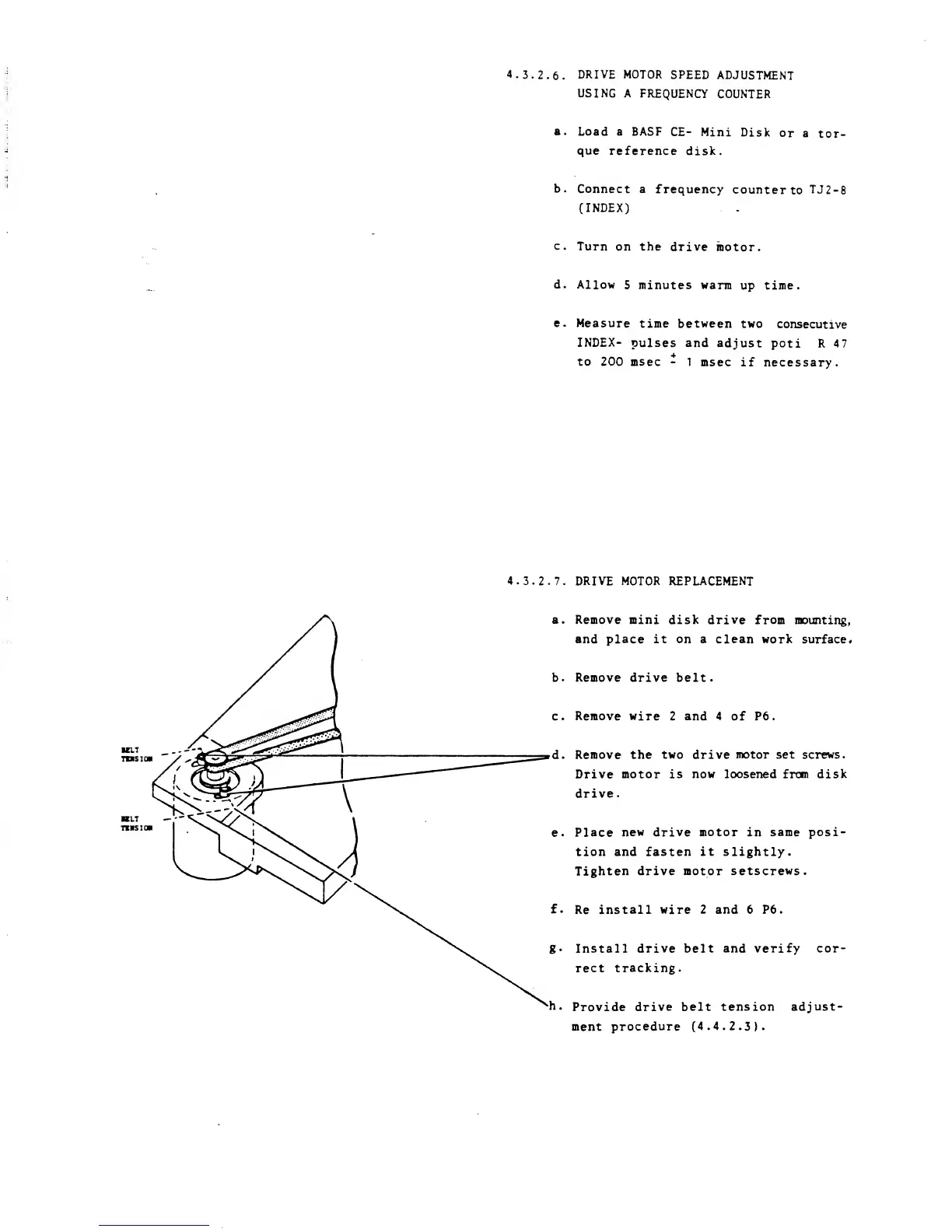
DRIVE MOTOR REPLACEMENT
eiT
tzhsio*
a.
Remove
mini disk drive from
mounting,
and place it on a clean work
surface*
b.
Remove
drive belt.
c.
Remove wire
2
and 4
of P6.
d.
Remove the
two
drive
motor set screws.
Drive motor is
now
loosened from disk
drive.
e.
Place
new drive motor
in
same posi-
tion and fasten it slightly.
Tighten
drive motor
setscrews.
f.
Re
install wire 2 and 6 P6.
g.
Install
drive
belt
and verify cor-
rect
tracking.
h.
Provide
drive belt tension
adjust-
ment
procedure (4.4.2.3).

Other manuals for BASF 6106