EasyManua.ls Logo

BASF 6106 - Head Carriage Replacement

Default Icon
78 pages
Print Icon
To Next Page IconTo Next Page
To Previous Page IconTo Previous Page
Loading...
JDDDDQ
PODDQ
E
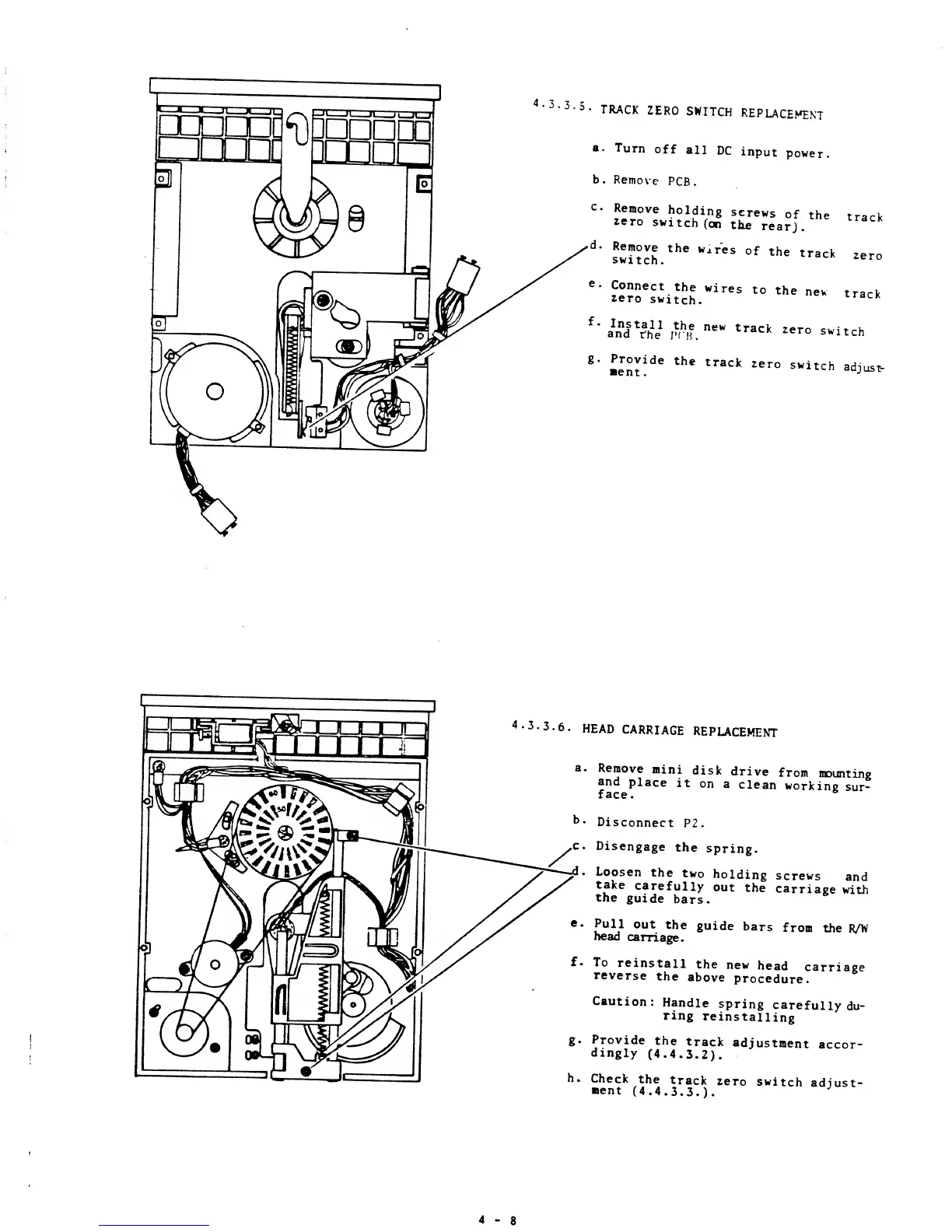
4-3.3.5.
TRACK
ZER0
SWITCH
REPLACEMEKT
a.
Turn
off
all
DC
input
power.
b.
Remove
PCB.
c
Remove
holding
screws
of
the
trarW
«ro
switch
(o£
the
rear]
°
k
'
d
"
swUch.
thC
WirCS
°
f
the
track
ze
e.
Connect
the
wires
to
the
new
track
zero
switch.
track
f
'
inTSJe
1
A
h
|f.
neW
track
2ero
"itch
8
*
»Int!
de
thC
traCk
2er
°
Switch
ad
J"s*"
HEAD
CARRIAGE
REPLACEMENT
a.
Remove
mini
disk
drive
from
mounting
and
place
it
on
a
clean
working
sur-
face.
&
b.
Disconnect
P2.
c
Disengage
the
spring.
.
Loosen
the
two
holding
screws
and
take
carefully
out
the
carriage
with
the
guide
bars.
e.
Pull
out
the
guide
bars
from
the
R/W
head
carriage.
f.
To
reinstall
the
new
head
carriage
reverse
the
above
procedure.
Caution:
Handle
spring
carefully
du-
ring
reinstalling
g.
Provide
the
track
adjustment
accor-
dingly
(4.4.3.2).
h.
Check
the
track
zero
switch
adjust-
ment
(4.4.3.3.).
4-8

Other manuals for BASF 6106