EasyManua.ls Logo

BASF 6106 - Stepper Motor Replacement

Default Icon
78 pages
Print Icon
To Next Page IconTo Next Page
To Previous Page IconTo Previous Page
Loading...
4.3.3.".
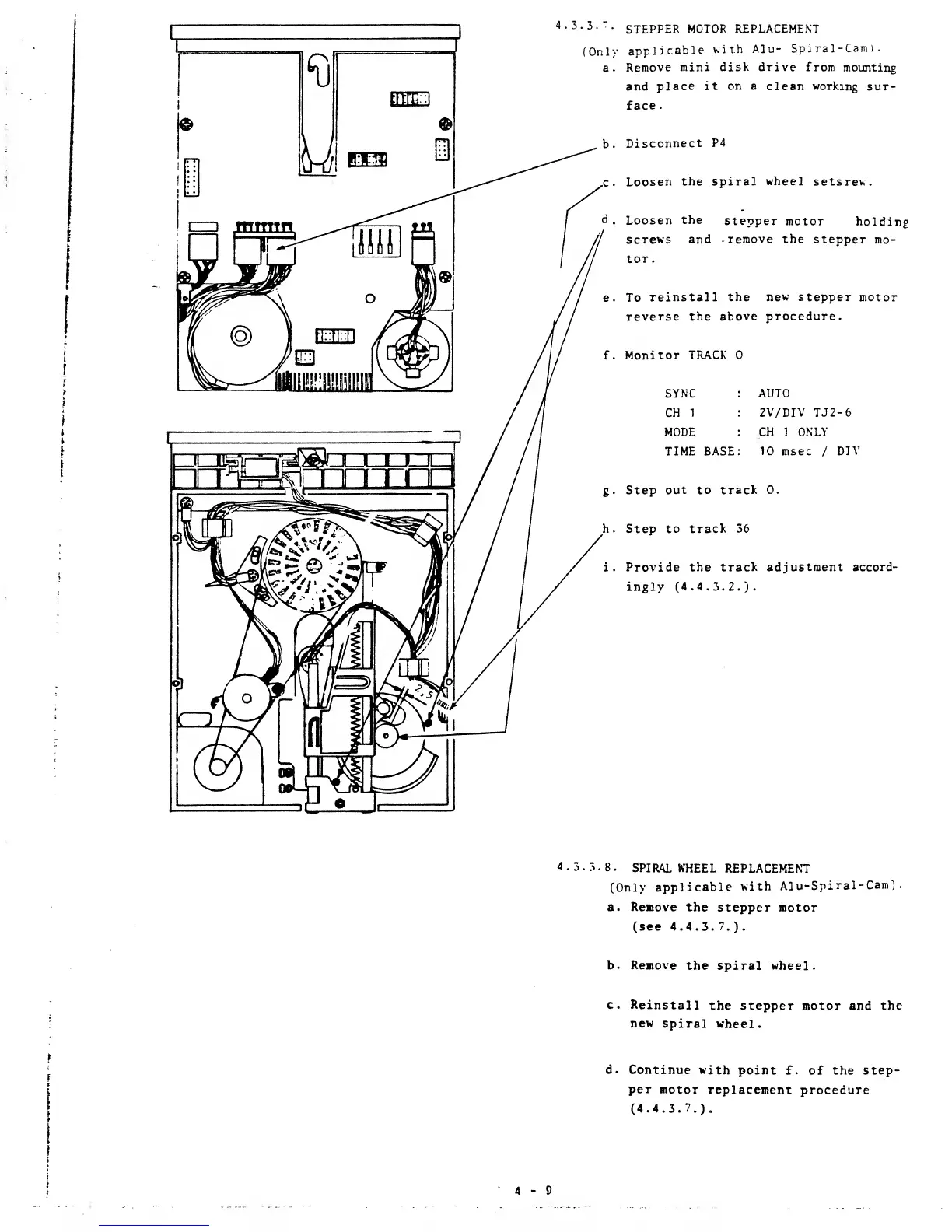
STEPPER
MOTOR REPLACEMENT
(Only
applicable
with
Alu-
Spi ral
-Cam
)
.
a.
Remove
mini disk drive
from
mounting
and
place it
on a
clean working
sur-
face
.
b.
Disconnect
P4
c
.
Loosen
the spiral
wheel
setsrev.
d.
Loosen
the
stepper
motor
holding
screws
and -remove
the
stepper
mo-
tor.
e. To
reinstall the
new stepper
motor
reverse the
above procedure.
f.
Monitor
TRACK
SYNC
AUTO
CH
1 2V/DIV
TJ2-6
MODE
CH
1 ONLY
TIME
BASE
10
msec
/
DIV
g.
Step
out to track
0.
h. Step
to track 36
i.
Provide the
track adjustment accord-
ingly (4.4.3.2.).
4.3.3.8.
SPIRAL
WHEEL
REPLACEMENT
(Only
applicable
with
Alu-Spiral-Cam)
.
a.
Remove
the
stepper motor
(see
4.4.3.7.)-
b. Remove
the spiral wheel.
c.
Reinstall
the stepper motor and
the
new
spiral
wheel.
d.
Continue with
point
f. of the
step-
per
motor
replacement
procedure
(4.4.3.7.).

Other manuals for BASF 6106