EasyManua.ls Logo

BASF 6106 - Actuator Adjustment

Default Icon
78 pages
Print Icon
To Next Page IconTo Next Page
To Previous Page IconTo Previous Page
Loading...
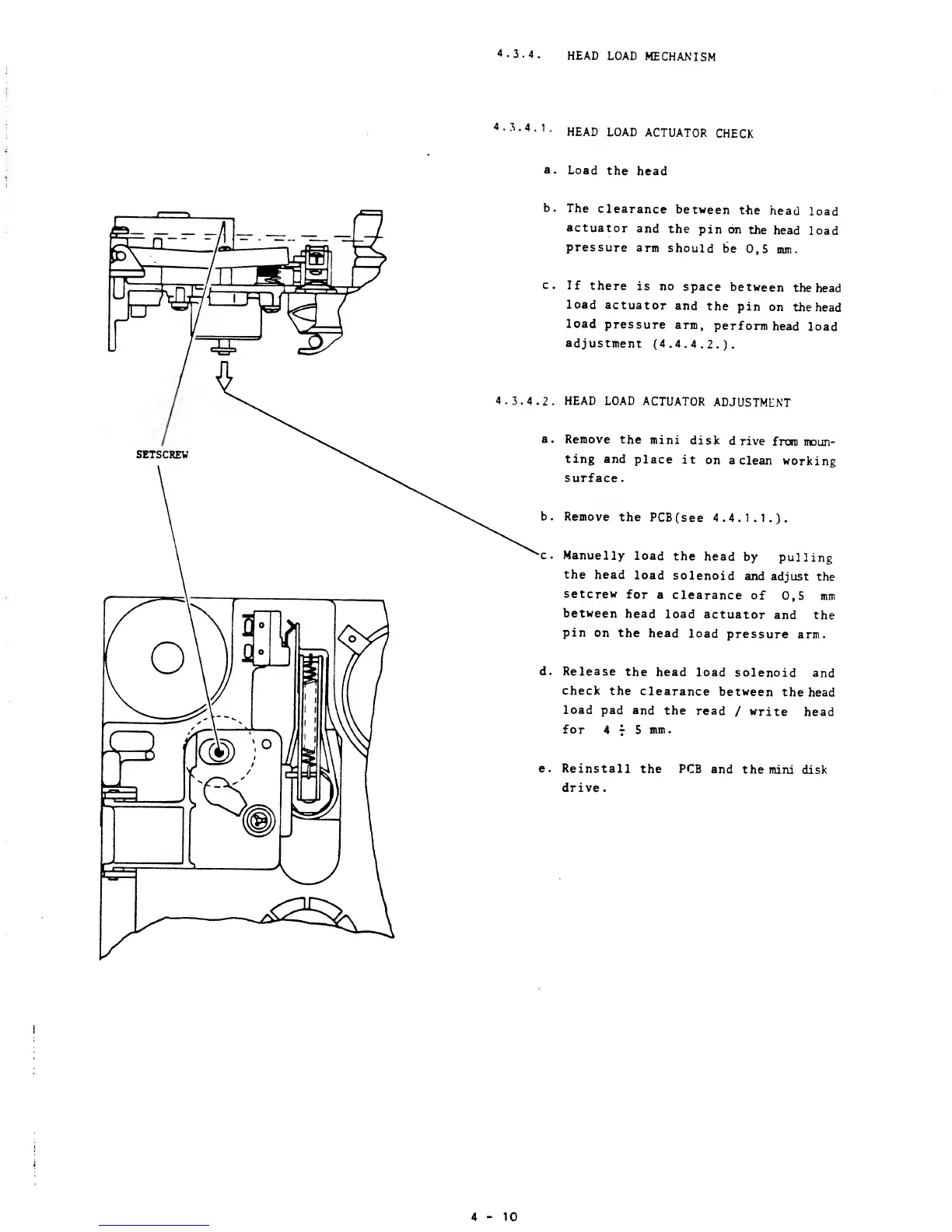
4.3.4.
HEAD
LOAD
MECHANISM
4.3.4.1
HEAD
LOAD
ACTUATOR
CHECK
a.
Load
the
head
b.
The
clearance
between
tne
head
load
actuator
and
the
pin on
the
head
load
pressure
arm
should
be
0,5 mm.
c.
If
there
is no
space
between
the
head
load
actuator
and
the
pin
on
the head
load
pressure
arm,
perform
head
load
adjustment
(4.4.4.2.).
4.3.4.2. HEAD LOAD
ACTUATOR
ADJUSTMENT
a.
Remove
the
mini
disk
drive
from
moun-
ting and
place
it
on a
clean
working
surface.
Remove
the
PCBfsee
4.4.1.1.).
c. Manuelly
load
the
head
by
pulling
the
head
load
solenoid
and
adjust
the
setcrew
for
a
clearance
of
0,5 mm
between
head
load
actuator
and the
pin
on the
head
load
pressure
arm.
d. Release
the
head
load
solenoid
and
check
the
clearance
between
the
head
load
pad and
the
read
/
write
head
for 4
7
5 mm.
e.
Reinstall
the PCB
and
the mini
disk
drive.
4-10

Other manuals for BASF 6106