9287500991 Rev K DECS-100 Human-Machine Interface 2-1
SECTION 2 • HUMAN-MACHINE INTERFACE
INTRODUCTION
The DECS-100 human-machine interface (HMI) consists of front panel indicators and a rear-panel
communication port.
FRONT PANEL INDICATORS
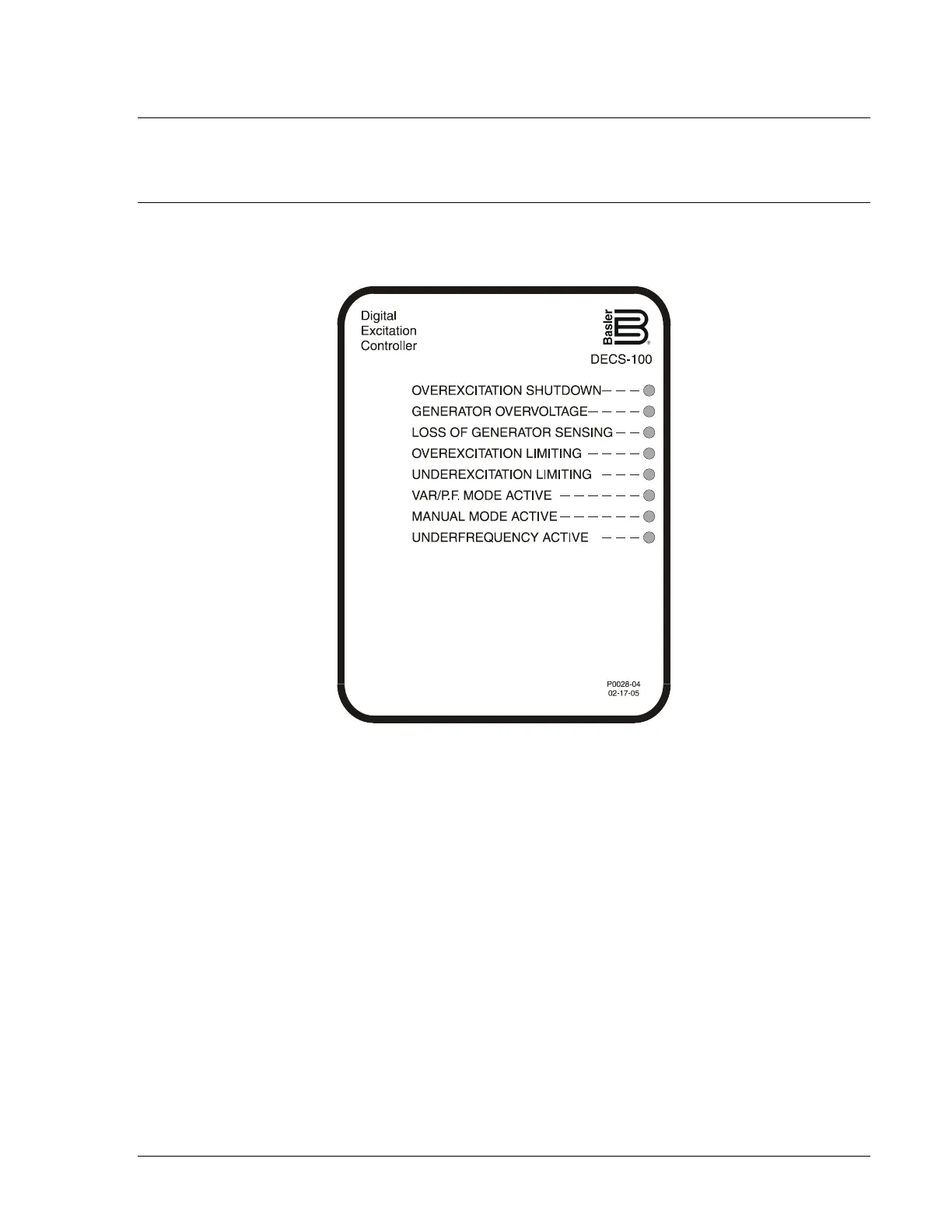
DECS-100 front panel indicators consist of eight red LEDs. The indicators are shown in Figure 2-1 and
described in the following paragraphs.
Figure 2-1. DECS-100 Front Panel Indicators
Overexcitation Shutdown
This LED lights when the Overexcitation Protection feature is enabled and the field voltage exceeds the
adjustable setpoint for 10 seconds. The DECS-100 will shutdown when an overexcitation condition is
detected. The Overexcitation Shutdown LED will light for 5 seconds when the DECS-100 is powered up
following an overexcitation shutdown.
Generator Overvoltage
This LED lights when generator output voltage exceeds the adjustable setpoint for 0.75 seconds. When a
generator overvoltage condition exists, the DECS-100 output contacts close and the DECS-100 shuts
down (if hardware shutdown is enabled). The Generator Overvoltage LED will light for 5 seconds when
the DECS-100 is powered up following a generator overvoltage shutdown.
Loss of Generator Sensing
This LED lights when a loss of generator sensing voltage is detected. When a loss of sensing condition
occurs, the DECS-100 output contacts close. Depending on the protective action selected, the DECS-100
will either shutdown or transfer to Manual mode. The Loss of Generator Sensing LED will flash for 5
seconds when the DECS-100 is powered up following a loss of generator sensing shutdown.



 To Next Page