9440300990 21-17
DECS-250 BESTlogic™Plus
Name Description Symbol
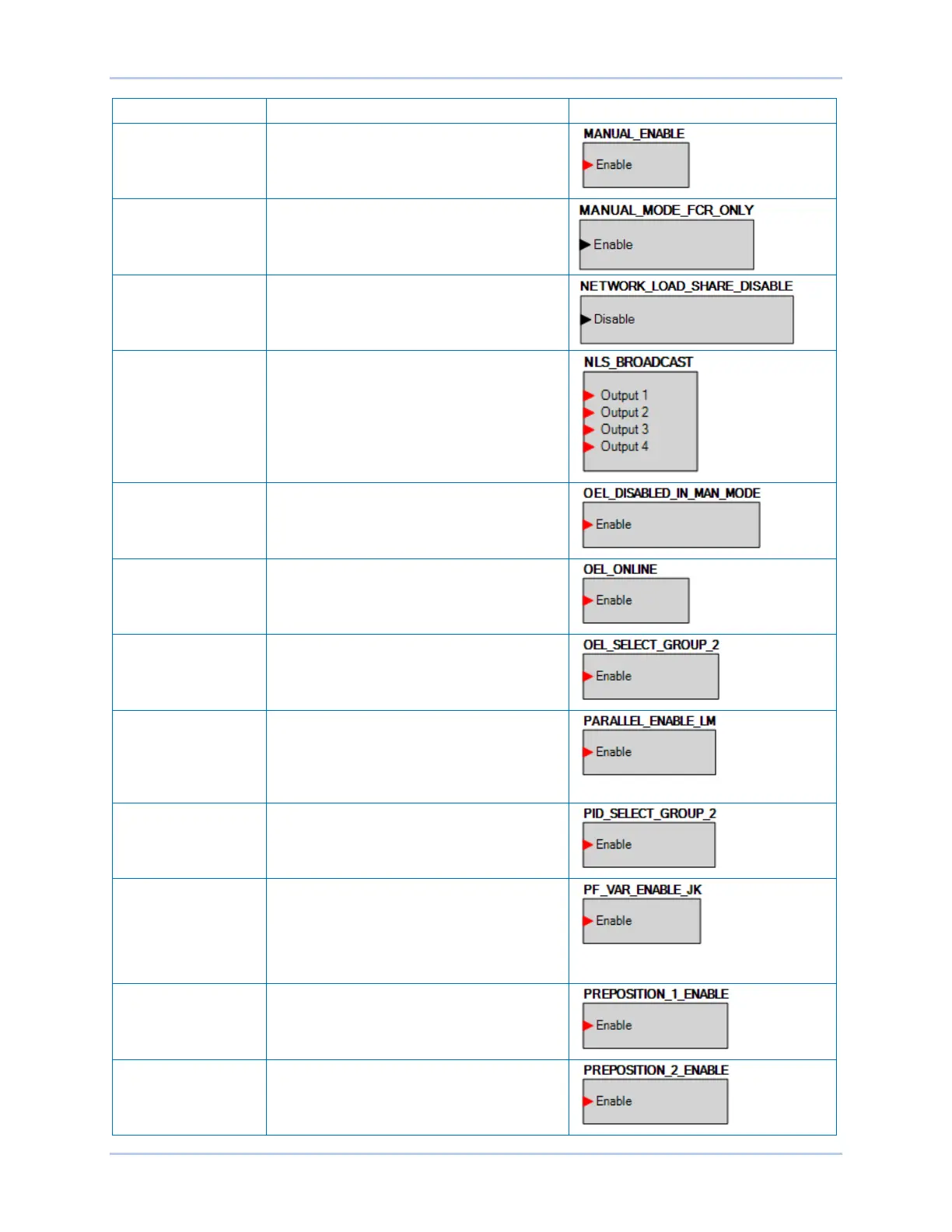
MANUAL ENABLE When true, this element switches the unit to
Manual mode.
MANUAL MODE FCR
ONLY
When true, this element switches the Manual
mode to FCR.
NETWORK LOAD
SHARE DISABLE
When true, this element disables network
load sharing.
NLS BROADCAST This element functions in conjunction with the
Network Load Share Status inputs on all units
on the network. When an input is true, the
corresponding Network Load Share Status
input on all units on the network is true.
OEL DISABLED IN
MANUAL MODE
When true, this element disables OEL when
the unit is operating in Manual mode.
OEL ONLINE When true, this element enables the use of
OEL when the unit is considered online.
OEL SELECT
SECONDARY
SETTINGS
When true, this element selects the
secondary settings for OEL.
PARALLEL ENABLE
LM
When true, this element informs the unit that it
is online. The element should be enabled
when the 52LM is closed.
This element also allows UEL and droop
compensation to operate when true.
PID SELECT
SECONDARY
SETTINGS
When true, this element selects secondary
settings on the PID.
PF/VAR ENABLE When true, this element enables the PF and
Var controller, and informs the unit that it is
online. The Var/PF Selection element must be
set to true to use var or PF mode. This
element should be enabled when the 52JK is
closed.
PREPOSITION 1
ENABLE
When true, this element informs the unit to
use setpoints for Preposition 1.
PREPOSITION 2
ENABLE
When true, this element informs the unit to
use setpoints for Preposition 2.



 To Next Page