21-16 9440300990
BESTlogic™Plus DECS-250
Name Description Symbol
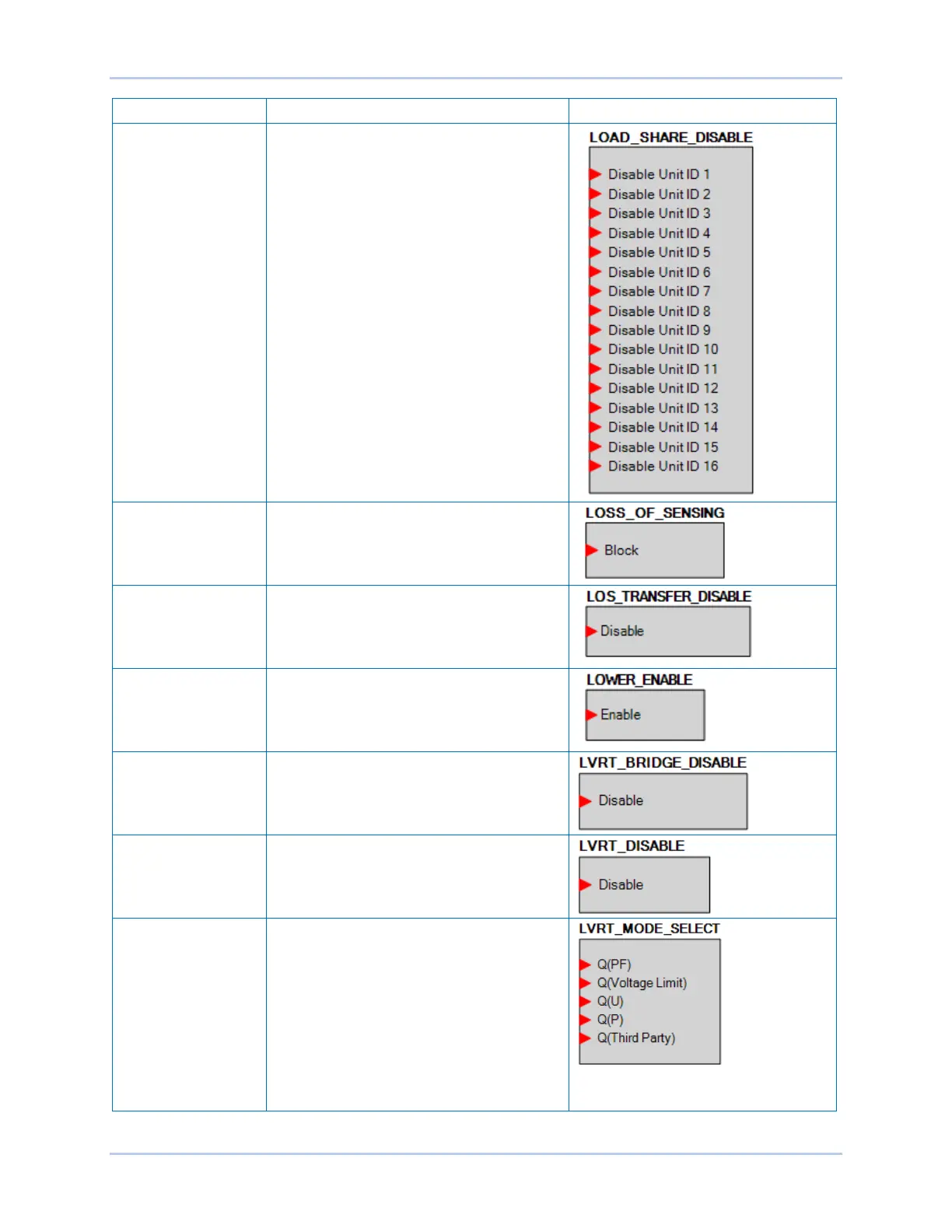
LOAD SHARE
DISABLE
This element allows load sharing with specific
units on the network to be disabled.
When an input to this block is true, load share
data received from that unit is ignored by the
DECS-250.
LOSS OF SENSING
DISABLE
When true, this element disables the Loss of
Sensing function.
LOSS OF SENSING
TRANSFER
DISABLE
When true, this element disables the transfer
to Manual mode during a Loss of Sensing
condition.
LOWER ENABLE When true, this element lowers the active
setpoint.
LVRT BRIDGE
DISABLE
When true, LVRT Bridge mode is disabled.
LVRT DISABLE When true, LVRT mode is disabled.
LVRT MODE
SELECT
When an input is true, the corresponding
LVRT control mode is active.
When no inputs are true, the default operating
mode is Power Factor.
When multiple inputs are true, the active
control mode is selected in the following
priority order: Q(PF) > Q(Voltage Limit) >
Q(U) > Q(P) > Q(Third Party). For example, if
inputs Q(Voltage Limit) and Q(P) are true,
Q(Voltage Limit) becomes the active control
mode. See the Grid Code chapter for details.



 To Next Page