9440300990 12-17
DECS-250 Grid Code
Auxiliary Input
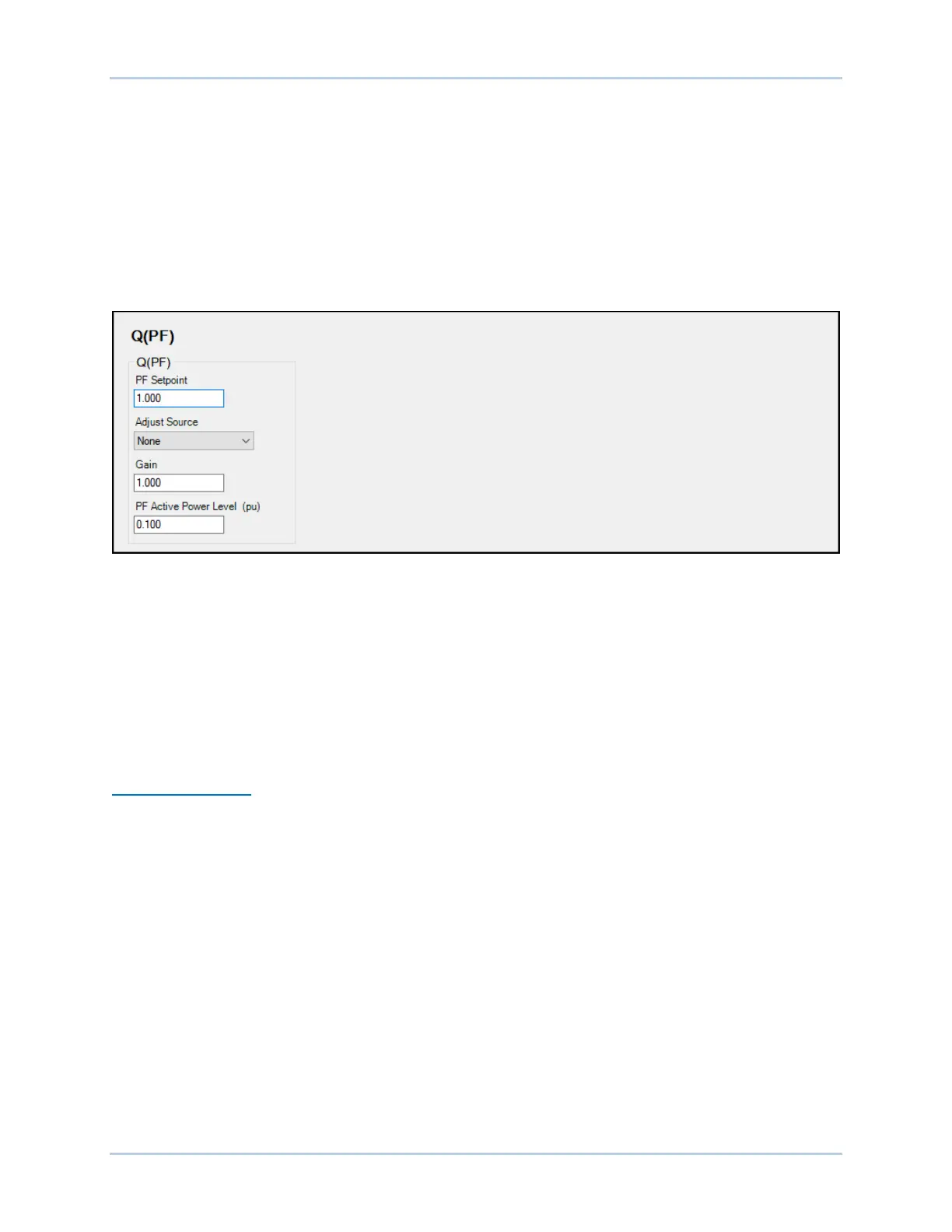
To use the DECS-250 auxiliary input as the Q(PF) adjustment source, make the following settings:
• On the Auxiliary Input screen, set the Input Function setting to Grid Code Input. Refer to the
Auxiliary Control chapter for details.
• On the Active Power Control screen, set the Adjust Source setting to Auxiliary Input.
Refer to the Auxiliary Control chapter for details on how the auxiliary voltage (Vaux) is calculated.
Vaux is multiplied by 0.01 and the value of the Q(PF) Gain setting:
(APC Adjust = Vaux x 0.01 x Q(PF) Gain).
Figure 12-20. Reactive Power Control, Q(PF) Screen
Reactive Power Control with Fixed Q – Q(Third Party)
BESTCOMSPlus Navigation Path: Settings Explorer, Grid Code Settings, Reactive Power Control,
Q(Third Party)
HMI Navigation Path: Settings, Operating Settings, Grid Code Settings, Reactive Power Control, Q Third
Party
This mode provides fixed reactive power output for instances where an external controller, outside of the
DECS-250, performs the reactive power control and feeds a reactive power setpoint to the DECS-250.
The PT1 time characteristic is applied in this mode, as it is in all the other modes.
Adjustment Sources
The Q(Third Party) setpoint may be adjusted by the DECS-250 auxiliary input, an Analog Expansion
Module AEM-2020 analog input, or via remote communication (Modbus
®
or CAN bus). For all adjustment
sources, the value of the Q(Third Party) Gain setting is applied to the value read from the selected input.
Refer to the CAN Communication and Modbus Communication chapters for more information on
adjusting the setpoint via remote communication.
Auxiliary Input
To use the DECS-250 auxiliary input as the Q(Third Party) adjustment source, make the following
settings:
• On the Auxiliary Input screen, set the Input Function setting to Grid Code Input. Refer to the
Auxiliary Control chapter for details.
• On the Active Power Control screen, set the Adjust Source setting to Auxiliary Input.
Refer to the Auxiliary Control chapter for details on how the auxiliary voltage (Vaux) is calculated.
Vaux is multiplied by 0.01 and the value of the Q(Third Party) Gain setting:
(APC Adjust = Vaux x 0.01 x Q(Third Party) Gain).



 To Next Page