49
8.3.2 Correction Algorithm
On Baumer cameras the problem of defect pixels is solved as follows:
▪ Possible defect pixels are identied during the production process of the camera.
▪ The coordinates of these pixels are stored in the factory settings of the camera.
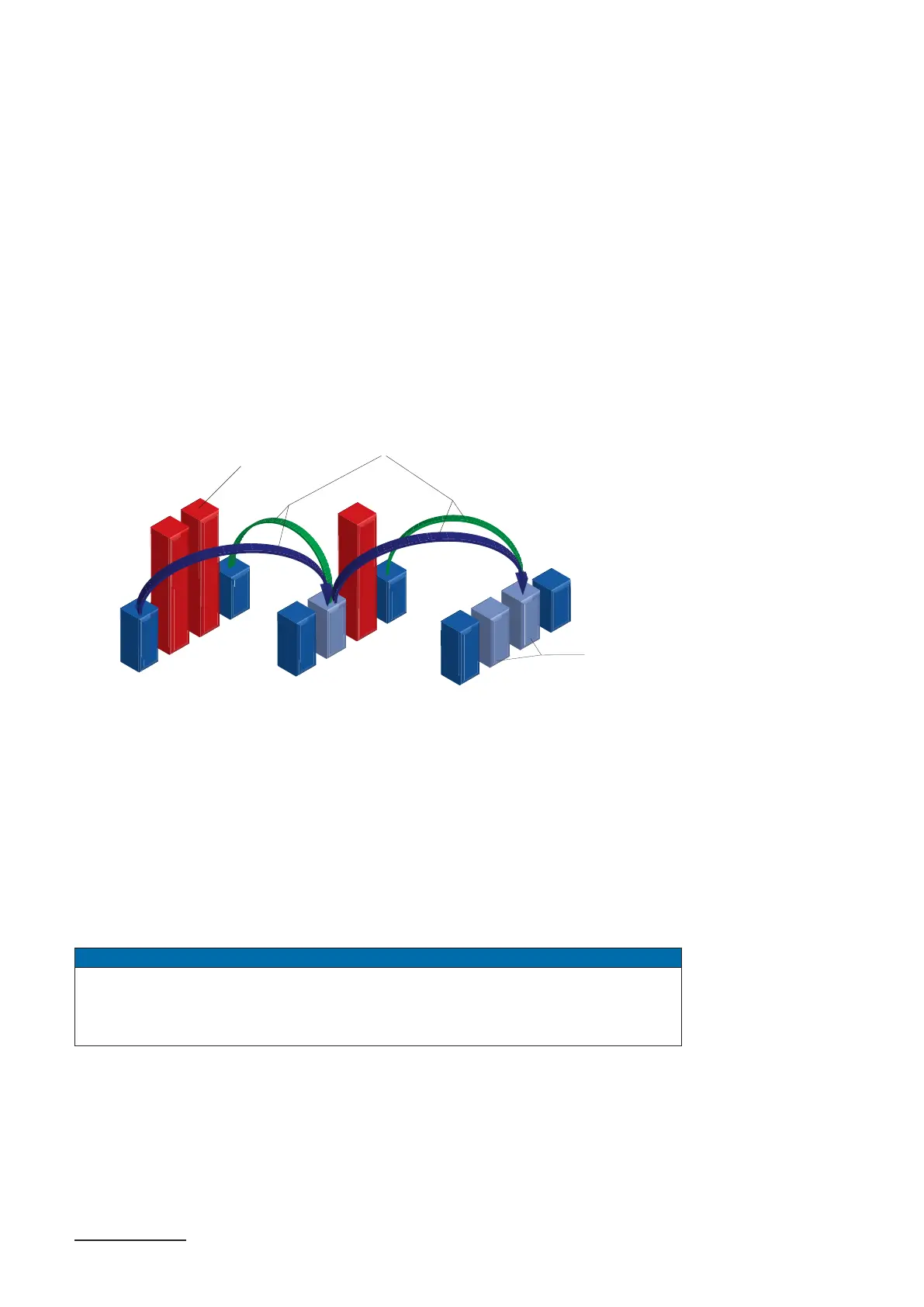
▪ Once the sensor readout is completed, correction takes place:
▪ Before any other processing, the values of the neighboring pixels on the left and the
right side of the defect pixels, will be read out. (within the same bayer phase for
color)
▪ Then the average value of these 2 pixels is determined to correct the rst defect
pixel
▪ Finally, the value of the second defect pixel is is corrected by using the previously
corrected pixel and the pixel of the other side of the defect pixel.
▪ The correction is able to correct up to two neighboring defect pixels.
Defect Pixels
Average Value
Corrected Pixels
8.3.3 Add Defect Pixel to Defect pixel list
As stated previously, this list is determined within the production process of Baumer cam-
eras and stored in the factory settings.
Additional hot or cold pixels can develop during the lifecycle of a camera. In this case
Baumer offers the possibility of adding their coordinates to the defect pixel list.
The user can determine the coordinates
1)
of the affected pixels and add them to the list.
Once the defect pixel list is stored in a user set, pixel correction is executed for all coordi-
nates on the defect pixel list.
Notice
There are defect pixels, which occur only under certain environmental parameters.
These include temperatures or exposure settings.
Complete defect pixels that occur in your application.
1) Position in relation to Full Frame Format (Raw Data Format / No ipping).



 To Next Page