23
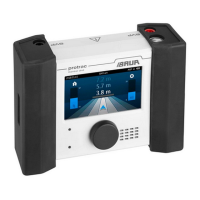
No� Function
1 Shows whether the voltage indicator is adjusted auto-
matically ( ) or manually ( ).
» To switch between automatic and manual, tap on the
symbol.
» To set the voltage indicator manually, switch to ma-
nual ( ) and turn the rotary switch.
2 Calls up the home screen
3 Calls up the method settings
4 Displays the selected signal evaluation:
•
AC
:
•
DC
:
» To change the type of signal evaluation, tap the
symbol.
5 Scale showing the polarity of the voltage and the signal
deflection on the time axis
The fault lies in the direction of the signal deflection.
Procedure
DANGER
Danger to life due to electric shock!
» Take all necessary safety measures [Ü "Before
commissioning”].
» Discharge and earth the test object before
touching it.
1. Connect the test object properly according to the user manual for the cable fault
location system.
Example: Connect HV source to 3-phase cable (no earthing strip laid)
2. Switch on the HV source and set the output voltage.
3. Switch on the high voltage on the HV source.
HV source
Performing sheath fault location
protrac® pin-pointing system822-186-4


 To Next Page