The Menus
bbe BenthoTorch Manual Page 69
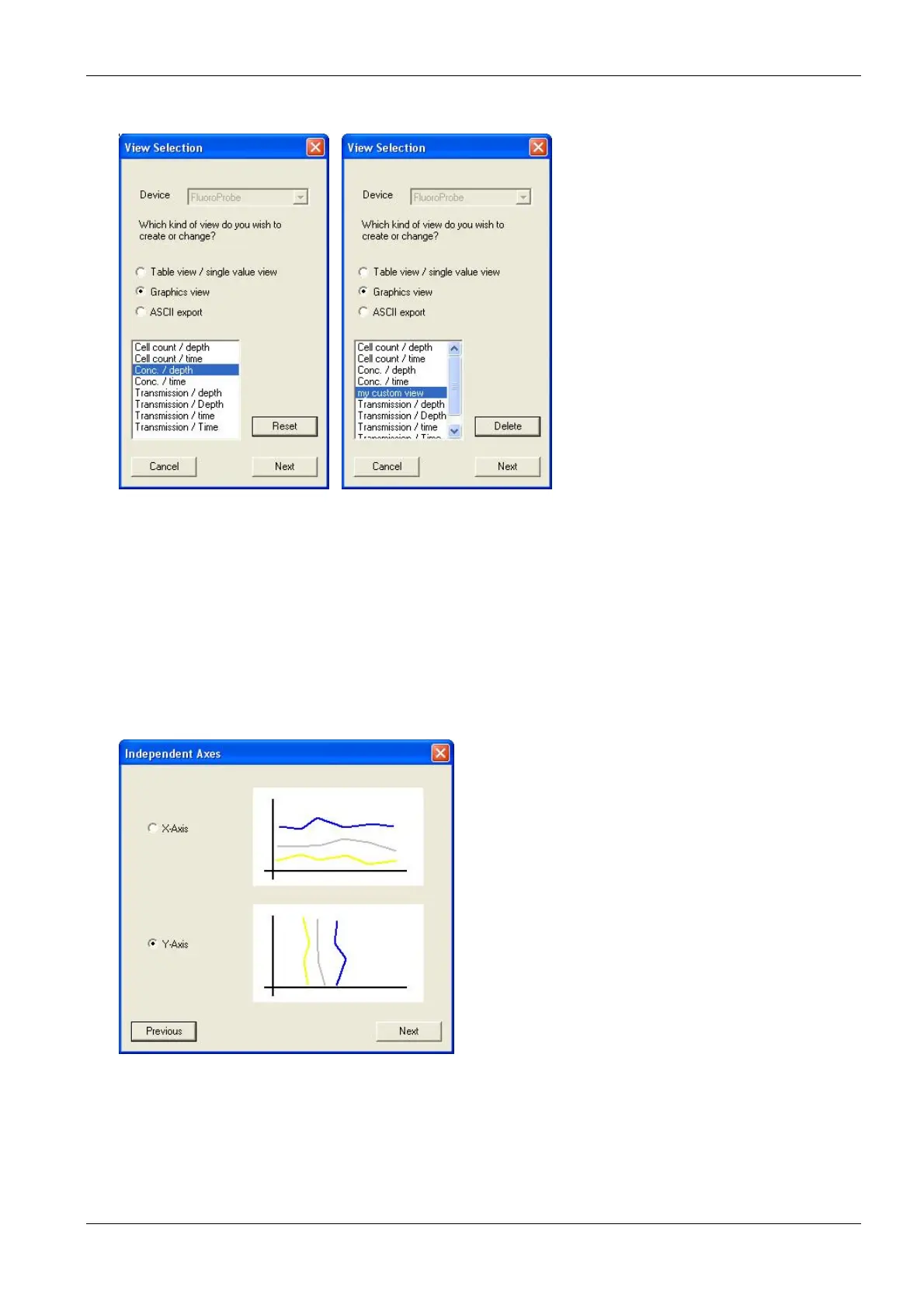
1. Open the view editor:
2. Choose the type of instrument the view is to be used for (in the example “FluoroProbe”).
3. Choose the type of view that is to be generated or edited (in the example “Graphics view”).
4. Choose one existing view to edit or as a template for a new one (in the example “Conc. / depth”).
In case of a pre-defined view, the view can be reset to the original status (“R
ESET
”).
In case of a user-defined view, the custom view can be deleted (“D
ELETE
”).
5. Click “N
EXT
”.
Independent Axis
6. Choose the design according to the given examples (in the example Y-Axis)
Field Configuration



 To Next Page