The Menus
bbe BenthoTorch Manual Page 78
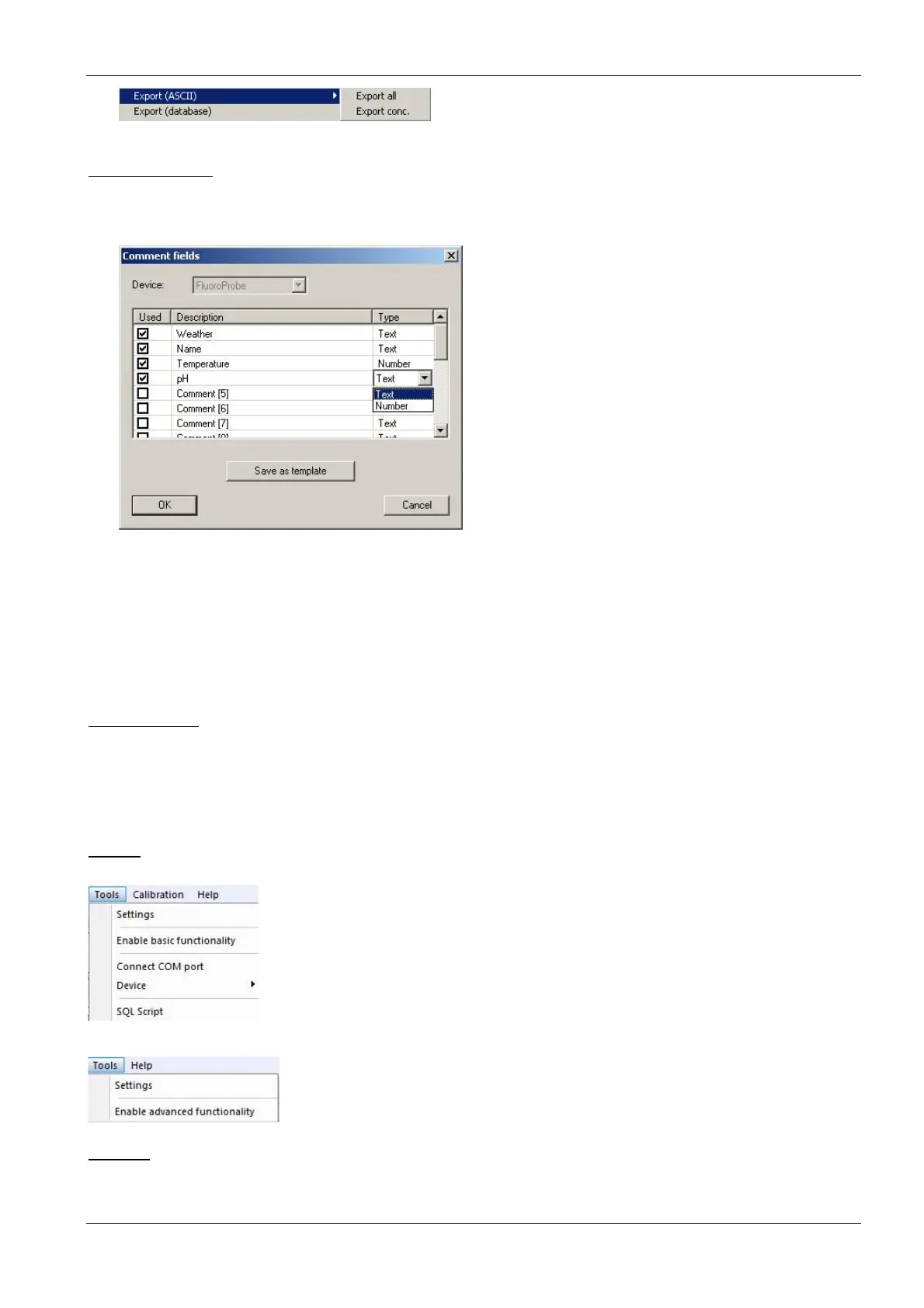
Comment Fields
For each type of instrument, special comments can be defined. These comment fields can be used at the
beginning of the measurement. The comments names and types can be defined within this dialog.
Type of instrument: the type of instrument is defined in the settings “T
OOLS
S
ETTINGS
ACCESS
“.
Used: if tagged, the comment can be used at the start of the measurement, otherwise the
comment is hidden.
Description: name of the comment
Type: “Text” allows entry of text, “Number” allows digits only; this is relevant for the way the
comments are sorted in a list view.
Template: stores the comment definition to transfer it to a new database; the transfer is done
when opening a new database.
1. ... 2. ... 3. ...
Shows all the currently opened windows.
T
OOLS
Menu (advanced functionality)
Menu (basic functionality)
Settings
Here, all the preferences for the general functionality of bbe++ can be set.



 To Next Page