The Menus
bbe BenthoTorch Manual Page 77
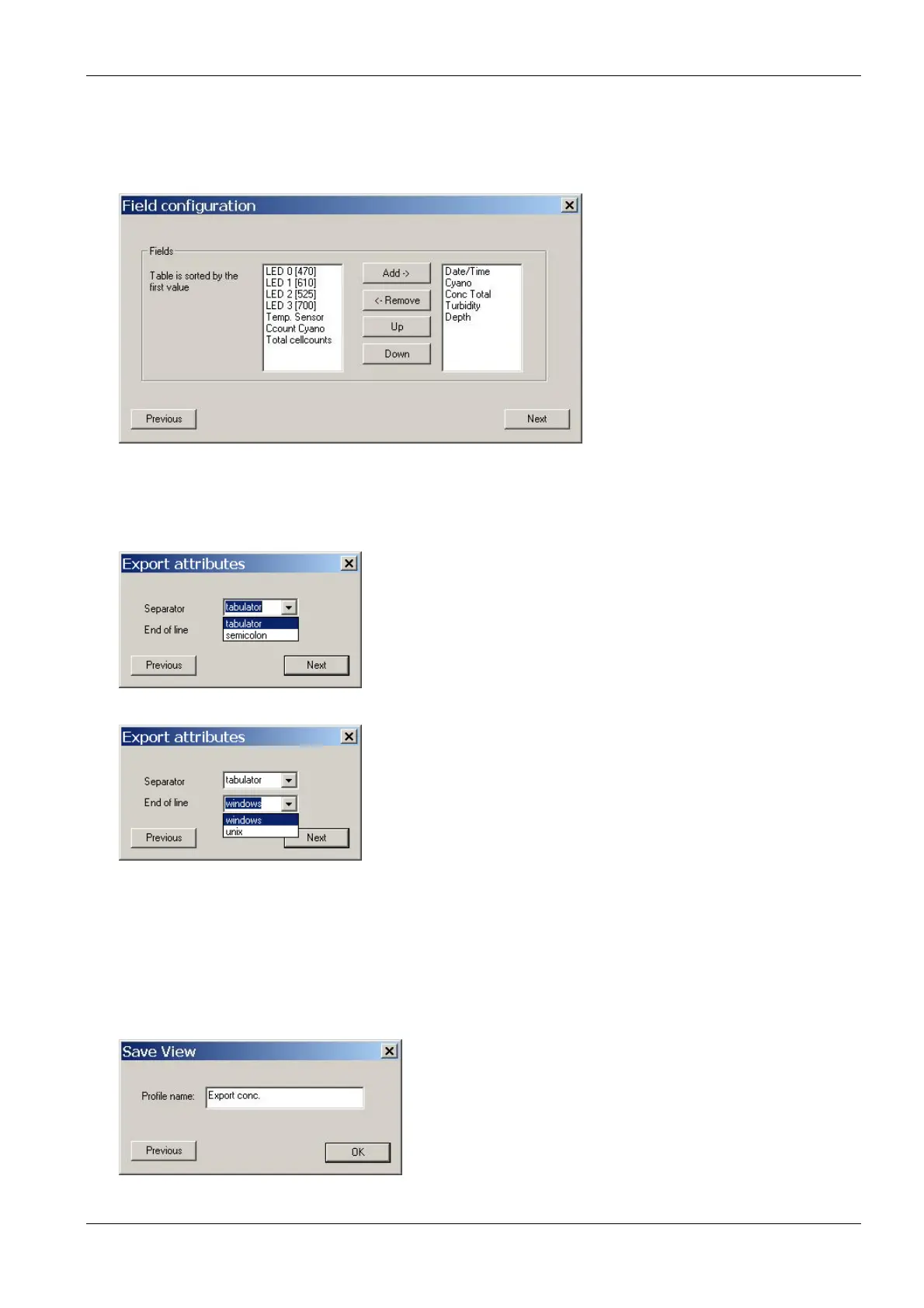
Field Configuration
This window shows all available data of the selected instrument. The left column shows data which are not
currently used in the chosen view. In the right column are data that are to be displayed in the view. The order in
the right column corresponds to the order in the table.
6. Select the required datasets from the right column. Use the up and down buttons to determine the order
of the data in the export table.
7. Click “Next”.
8. Define separator and end of line characters according to the needs of the importing software.
9. Click “Next”.
Save View
10. Enter a new name for the view. It is not possible to edit pre-defined views. Please store a view based on
a pre-defined view with a new name.
11. The new view is now available in the “File” menu.



 To Next Page