The Menus
bbe BenthoTorch Manual Page 86
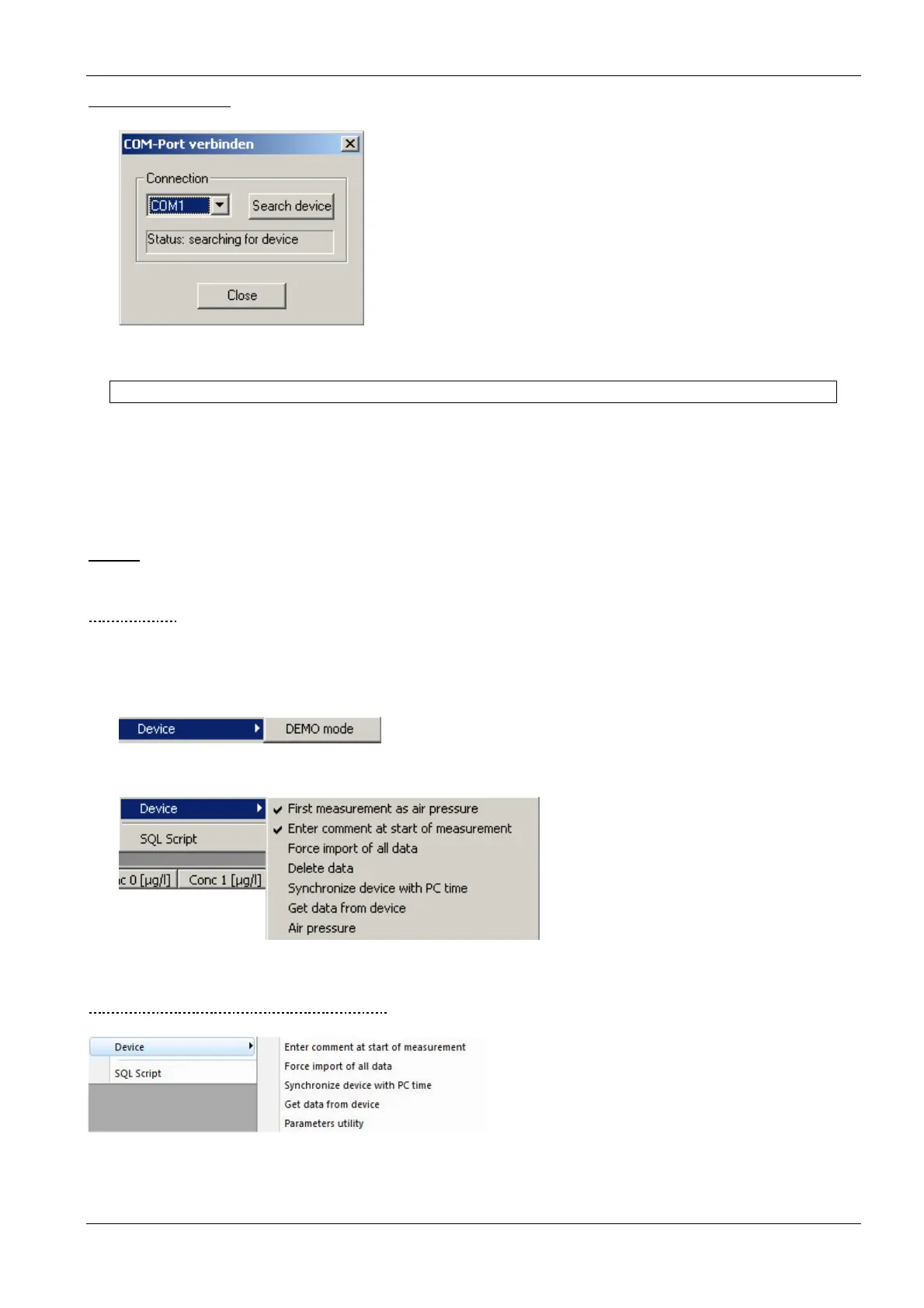
Connect COM port
This item is used to connect an instrument to the PC.
Please note:
• bbe++ is looking for an instrument of the selected type only (Tools Settings Access).
• the COM port can either be chosen from the drop down box or the software can search all COM ports for
the selected instrument.
• once an instrument has been found the COM port is stored for the next use.
Device
The “Device” submenu varies depending on the selected type of instrument. Each type has its own submenu.
D
EMO
M
ODE
To switch the bbe++ software to the demo mode select FluoroProbe (Tools -> Settings -> Access) and
disconnect all instruments. Click on “DEMO mode” in the device submenu. Now, the software can be operated
as if a FluoroProbe were connected. Some procedures such as calibrations are limited in function.
To reset the demo mode, please restart bbe++.
Once the DEMO mode is selected, the submenu changes to the FluoroProbe entries:
A
LGAE
T
ORCH
/
B
ENTHO
T
ORCH
S
UBMENU
Enter comment at start of measurement:
Check to enter one or more comments when starting the measurement procedure.



 To Next Page