User Manual 21
Getting started
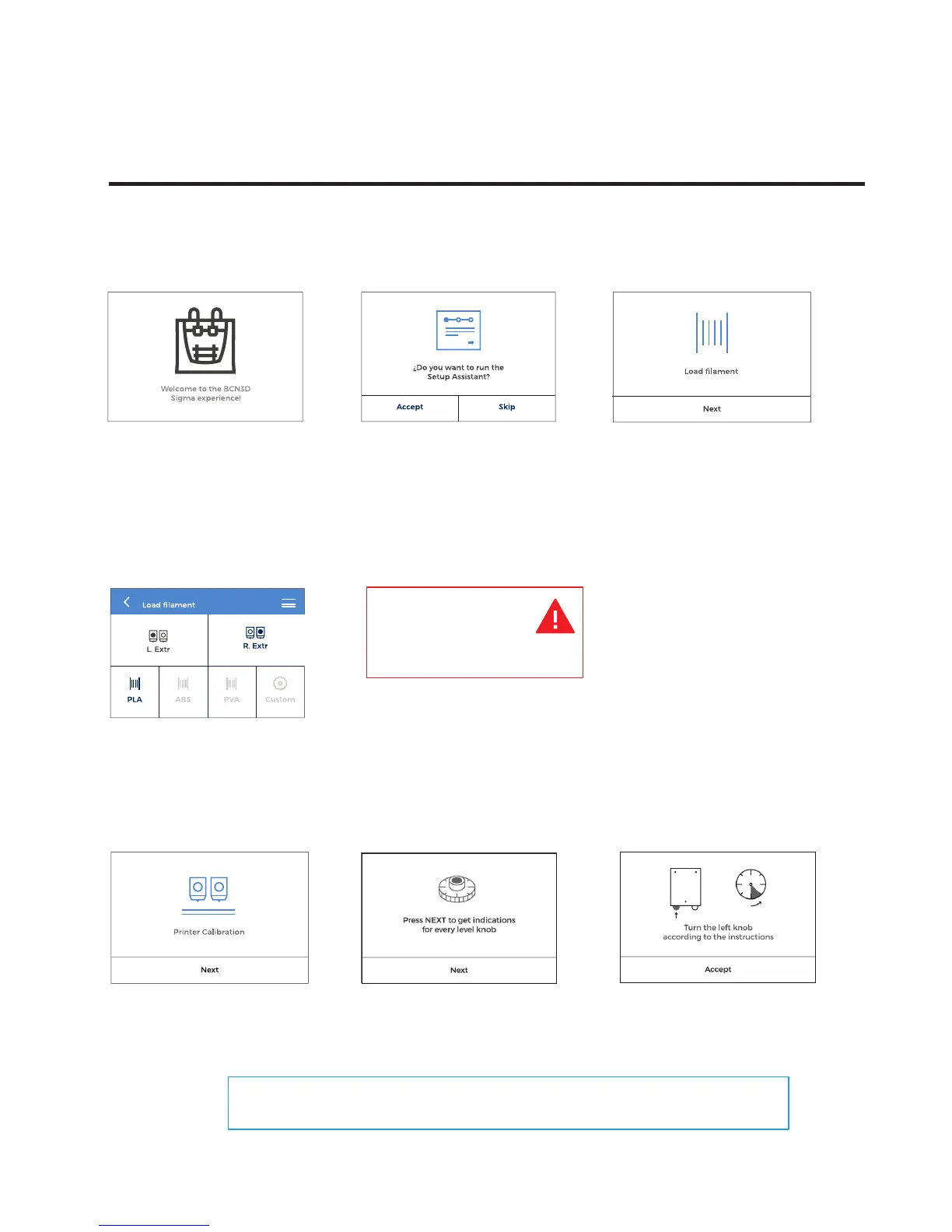
1. Welcome
4. Select material
Choose PLA
7. Printer calibration
Press next
8. Hot bed leveling
6. Repeat all the process with the
other extruder.
Setup Assistant
You can see Switching On Your Printer For The First Time Section on our youtube channel:
https://www.youtube.com/playlist?list=PL8iOVmTsyvGRYhiB4ykxxzcl1gnakOReg
Warning: Extruders
will be heated up. This
process could take 1
or 2 minutes.
9. Turn calibration screw as indicated
by the display.
2. Setup Assistant 3. Load filament
Press load Next
5. Follow screen’s instructions



 To Next Page