ENGLISH
12 BD LASER MAX Man. cod. B409652FG Class C Solutions Group
SETUP
Note: The download may require some minutes, it is necessary
to wait for the process to end.
8. At the end, remove the flash drive and connect it again to
the machine.
Note: The downloaded package can be used only by the
machine with which the update procedure was started.
9. After connecting the USB flash drive to the machine, press
NEXT. The updates shall be analysed and loaded in the
machine's memory.
During this phase, messages may appear stating the
presence of errors in the package, the absence or invali-
dity of the licence. In these cases, check that you have
used the same USB flash drive that you connected to the
machine at the beginning of the update process. Contact
the Class C Solutions Group Service Centre to solve any
problems.
10. At the end of the download a message confirms that the
data have been received and can now be installed.
11. Disconnect the USB flash drive connected to the machine
and press the "INSTALL" button. To annul the operation,
press CANCEL.
12. The programme shall reboot and the update software
executed; the user might be required to turn off and
reboot the machine.
13. Follow the instructions and wait until the end of the
procedure, whereupon the most recent versions of the
software and database shall be available.
5.4.3 Special
Warning:
This update procedure may be carried out only upon re-
quest by Class C Solutions Group.
How to proceed:
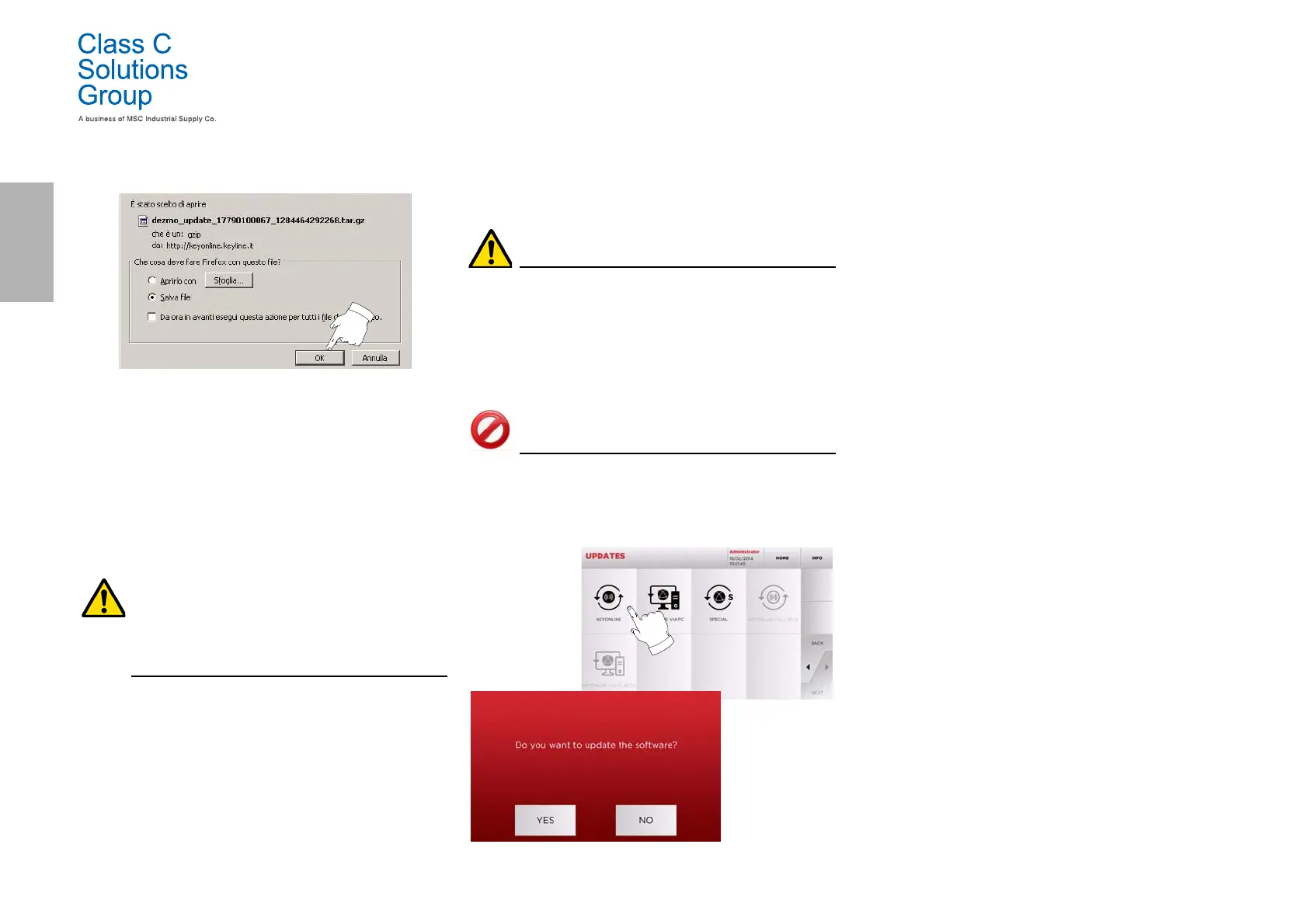
• Pressing the USB button, the programme will ask you to
insert a USB flash drive containing the data for the update.
Note: The data for this kind of update can be provided
EXCLUSIVELY by Class C Solutions Group.
It is not possible to update the machine with packages
downloaded from "Keyonline" of from the Class C
Solutions Group server.
• After inserting the flash drive, press YES to update the
machine.
• To annul the operation, press NO.
• Follow the instructions to the end of the procedure.


 To Next Page