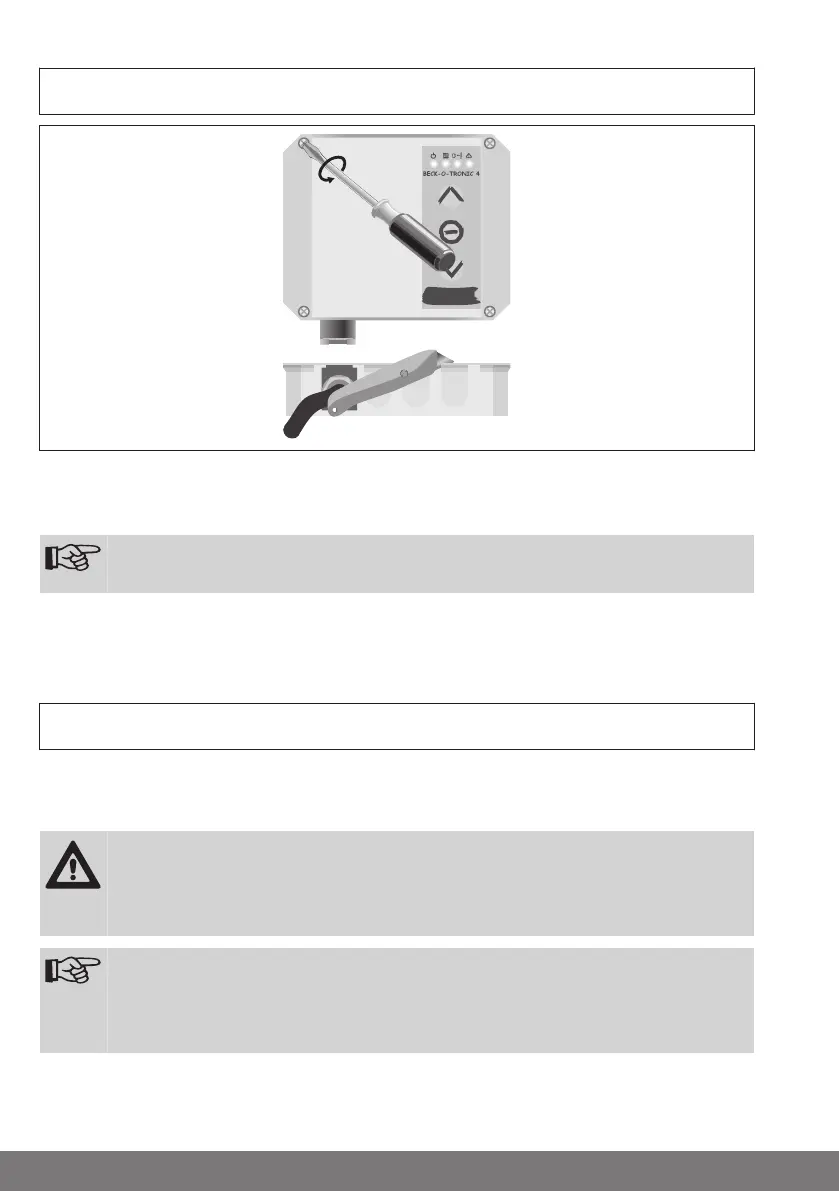
Installation
Open the cover of the control unit. Unplug and remove the keyboard overlay from the
control unit and carefully place the cover to one side.
Remove the required cut-outs in the bottom part of the housing.
Note
Cut in at the edges to make the cut-outs easier to remove.
Use the enclosed cardboard drilling template to drill the holes for attaching the housing
to the wall.
Wiring
Connection of the motor, outdoor light/advance warning light, light barrier, ex‐
ternal key-operated push-button and bottom rail sensor
Connect the individual pieces of equipment as shown in the connecting diagram.
Caution
Electrical work may only be carried out by qualified electricians or
trained personnel. Always disconnect the safety mains plug before
connecting the equipment.
Note
First, pull the insert sleeves over the connecting cable and then push
the insert sleeves into the bottom part of the housing once all of the
wires have been connected.
10






 To Next Page