32
>>> GENERAL OPERATION
> D
> GB
> F
> I
> PL
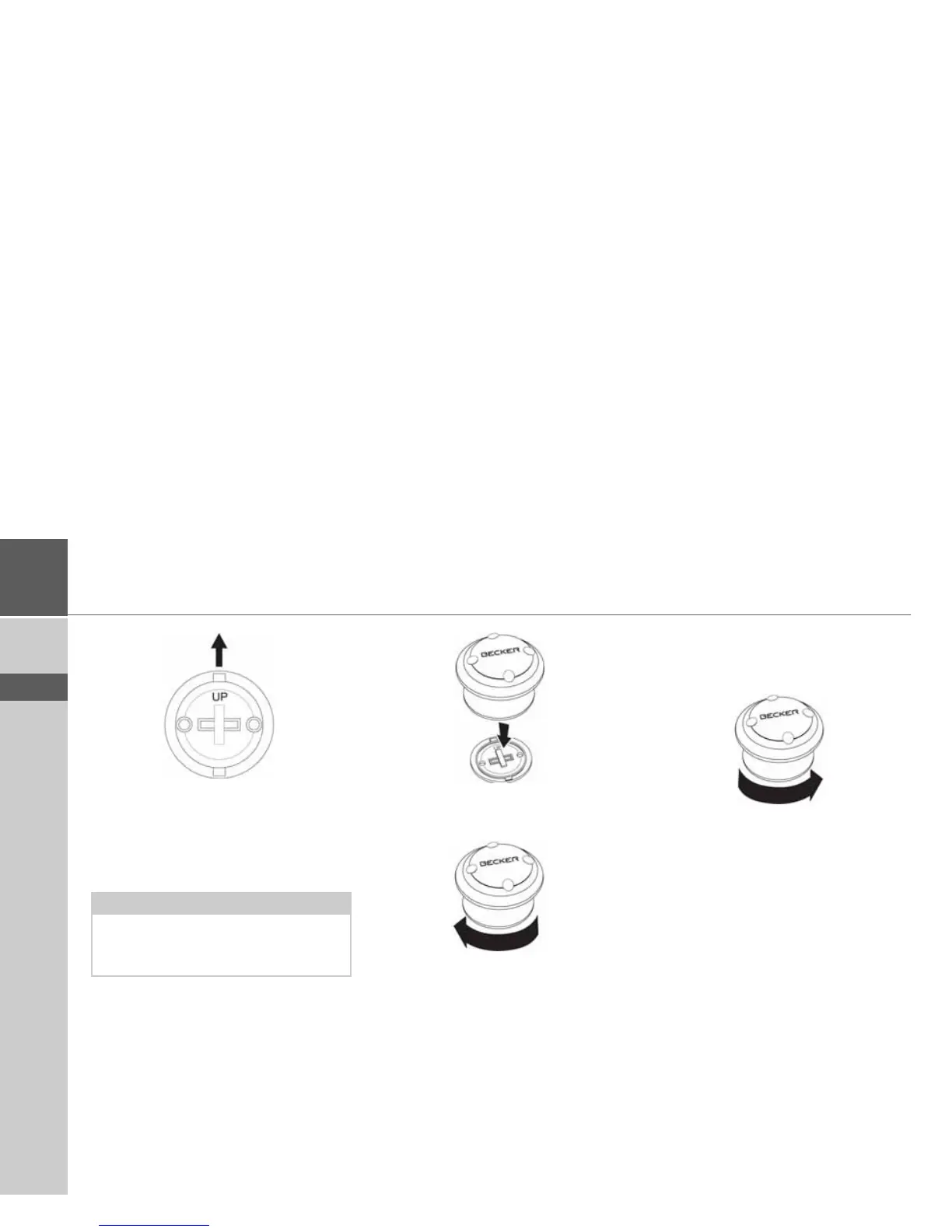
> Position the base plate so that the
word UP is pointing in the direction of
travel.
> Secure the base plate using the
supplied screws or self-adhesive film.
> Press the remote control onto the
base plate.
> Hold the bottom part of the remote
control and turn the remote control
clockwise until it locks into place.
Removing the remote control
You can remove the remote control
again, to change the battery for example.
> Hold the bottom part of the remote
control and turn the remote control
anti-clockwise until it becomes
detached from the base plate.
Note:
If you wish to stick the base plate in
place, you will first need to clean the
adhesive surfaces.



 To Next Page