95
NAVIGATION MODE >>>
> D
> GB
> F
> I
> PL
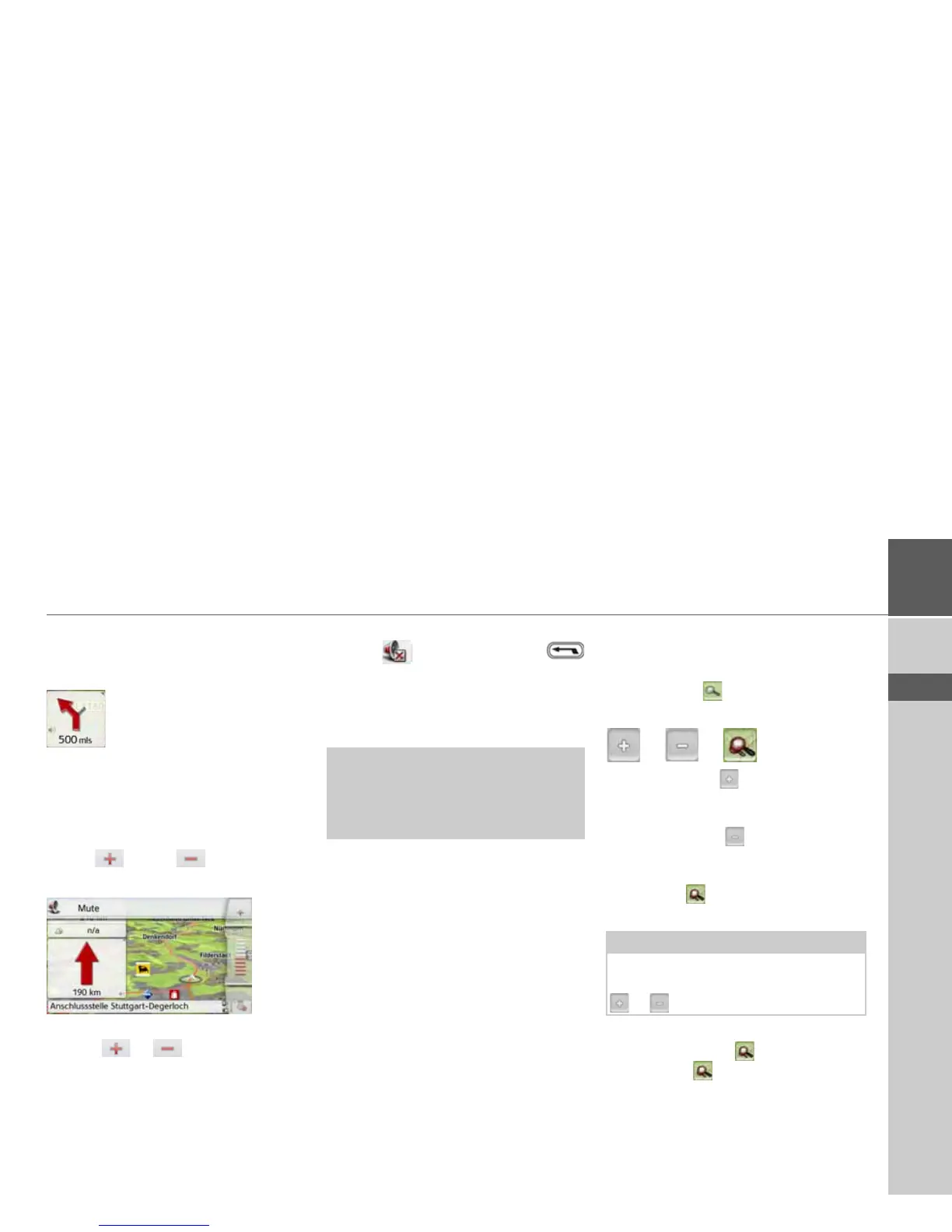
Changing the announcement volume
The volume of announcements can be
adjusted.
> Press the speaker symbol in the
preview area while route guidance is
active. On the top edge of the image,
the Mute button is displayed with a
speaker symbol. A bar diagram and
the and buttons are
displayed on the right.
The bar diagram represents the volume.
> Press or or pull your finger
over the scroll strip to increase or
decrease the volume.
> Press
Mute in order to mute the
announcements.
An x now appears next to the speaker
symbol . With pressing the
button, you can make the volume control
elements disappear.
> Press again the speaker symbol in the
preview area to mute the voice again.
The bar display disappears again
automatically after a short while if no
button is pressed.
Map zooming
The map can be zoomed into in steps by
using the zoom buttons.
> Press the button. The zoom
buttons are displayed.
> Press zoom in to "zoom in on the
map" and therefore to get closer to the
details displayed.
> Press zoom out to "zoom out from
the map” and therefore to obtain a
larger overview.
> Press the button to switch back to
the set zoom step after a change.
If you change the zoom step, a button
with two red lenses are displayed.
> Press the button to restore the
originally set zoom step.
¤ Warning!
Always adjust the volume so that you
can still hear any ambient noise while
driving.
Note:
The zoom steps are altered in quick
succession by pressing and holding the
or button.



 To Next Page