GB Sound module MSM-1
31 BEIER-Electronic 18.01.2024
Volume adjustment
There are 2 ways to adjust the volume of the MSM-1:
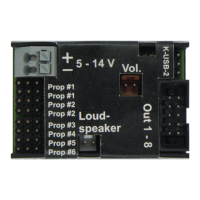
1. Via a volume potentiometer (100 kΩ) at connector X8 (brown)
2. With the RC radio control (Prop #5)
Both variants also work in parallel, but it must be noted that a low volume always has
priority. This means that if, for example, the volume is turned to zero using the
volume potentiometer, it cannot be increased again via the radio. The same applies
to the other case: If the volume is set to low via the radio, then the volume cannot be
increased using the volume potentiometer.
Therefore, adjusting the volume using the volume potentiometer and the radio at the
same time is not recommended.
The volume potentiometer is not included, it can be purchased as an accessory in
our online shop.
Procedure for adjusting the volume via the radio:
1. First, the volume setting must be activated. This is done by bringing Prop #5
into area A for at least 2 seconds.
2. If the volume setting is active, the blue LED on the MSM-1 lights up as an
identification symbol. If the driving sound is not on when you activate the
volume setting, it will be switched on, as it usually only makes sense to adjust
the volume if you can actually hear the sound.
3. Now the volume can be increased by moving Prop #5 to area A. Area D of
Prop #5 reduces volume.
4. If the volume does not change for 5 seconds, it will be saved and the volume
setting will be exited.
During volume adjustment, the normal functions (switching sounds or outputs) of
Prop #5 are disabled.


 To Next Page