Oven Timer Operation
18
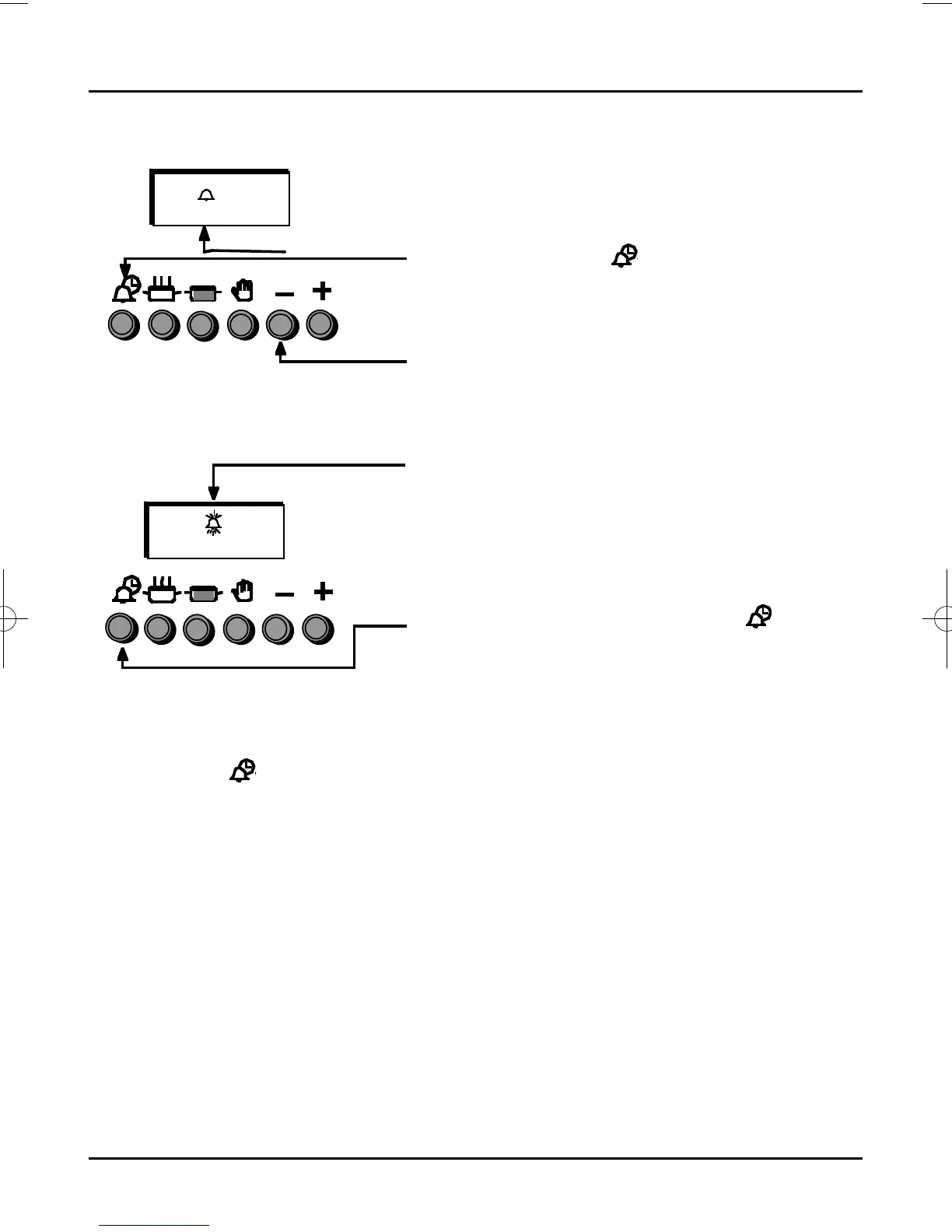
To Set The Minute Minder
Step 1
Ensure the time of day is set correctly.
Step 2
Press and release the “ ” Button.
Within 5 seconds press and hold the “+” button
until the required time is set, a “Bell” symbol will
light up.
This can be adjusted by pressing the “–” button.
The timer will then revert back to the time of day.
At the end of the set time a bleeping sound will
be heard and the “Bell” symbol will flash.
This can be cancelled by pressing the “ ”
button.
NOTE: If necessary the Minute Minder can be cancelled before the tone sounds by
pressing the “ ” button and then pressing the “–” button until 0.00 appears in the
display window.








 To Next Page