11
Locking and unlocking the Controls
• You can lock the controls to prevent unintended use (for example children accidentally turning the
cooking zones on).
• When the controls are locked, all the controls except the On/Off control are disabled.
To lock
1. Touch the keylock control key. The timer display will show “LO“.
To unlock
Note: Make sure the ceramic hob is turned on.
1. Touch the keylock control key until “LO” disappears from the timer display.
When the keylock function is active, all of the controls are disabled except for the on/off key, so that you
can switch the hob off. If you do switch the hob off in this situation, you must rst touch and hold the
lock key for a few seconds until “LO” disappears from the timer display, before you can switch the hob
back on.
Timer control
You can use the timer in two different ways:
1. You can use it as a minute minder. In this case, the timer will not turn any cooking zone off when the
set time has elapsed.
2. You can also set it to turn a cooking zone off after the set time has elapsed. Refer to Setting the
timer to turn one cooking zones off.
A maximum duration time of 99 minutes can be set.
Using the Timer as a Minute Minder
If you are not selecting any cooking zone
1. Make sure the hob is turned on.
Note: you can use the minute minder even if you’re not selecting
any cooking zone.
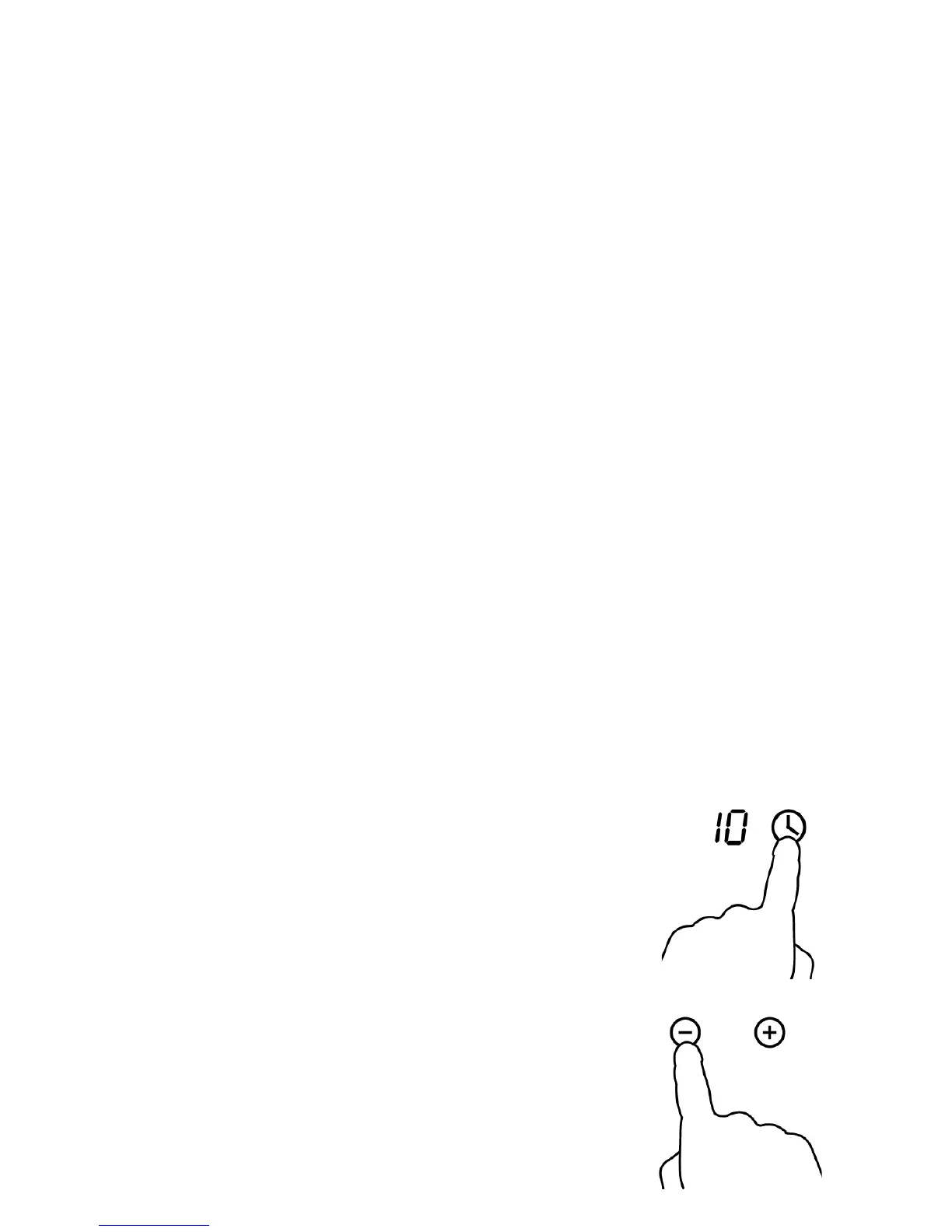
Touch the timer control key. The timer display starts ashing and
shows the default value of 10 minutes.
2. While the timer display is ashing, touch the plus or minus keys to set
the minute minder duration time.
A short touch of the plus or minus key increases/decreases the time by
one minute at a time.
A long press of the plus or minus key increases/decreases time by 10
minutes at a time.


 To Next Page