13
If you need to change the minute minder duration time, please repeat steps 2-3 above. Adjusting
the time down to 00 would cancel the minute minder function.
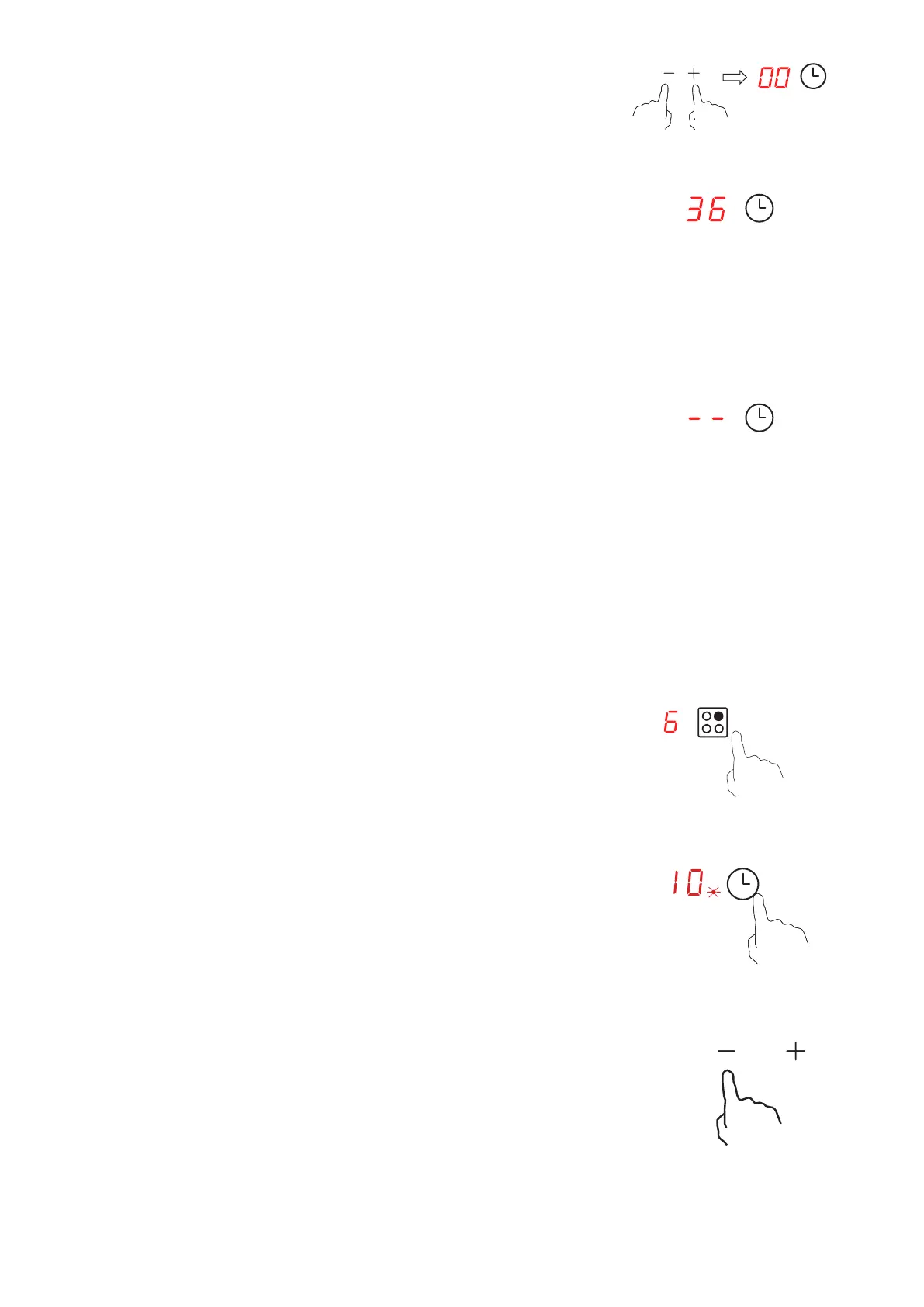
4. Touch the “-” and “+” control keys together to cancel the timer.
“00” will show in the minute display.
5. Once the timer has been set it will count down immediately.
The display will show the remaining time and the timer
6. When the minute minder duration time has elapsed, the
buzzer will beep for 30 seconds and ‘--’ shows in the timer
display.
Setting the timer to turn one or more cooking zones o
1. First select the cooking zone you wish to use by touching the
relevant heating zone selection control key.
2. Immediately, touch the timer control key, the timer display will
10
3. Set the time by touching the “-” or “+” control keys.
Touch the “-” or “+” control keys once to decrease or increase by
1 minute.
Touch and hold the “-” or “+” control keys to decrease or increase
by 10 minutes.


 To Next Page