Operation and configuration
21
RCMA421H_D00069_00_M_XXEN/05.2014
5.7 Making settings in the menu
5.7.1 Selecting menus
Press and hold down the MENU button for more than 1.5 seconds to call up
the menu. Menus are available for a variety of settings. In turn, each menu has
a number of submenus. The UP/DOWN buttons can be used to navigate be-
tween menus. Press and hold down the ENTER button for less than 1.5 sec-
onds to call up a menu. Press and hold down the ENTER button for more than
1.5 seconds to go to the next highest menu.
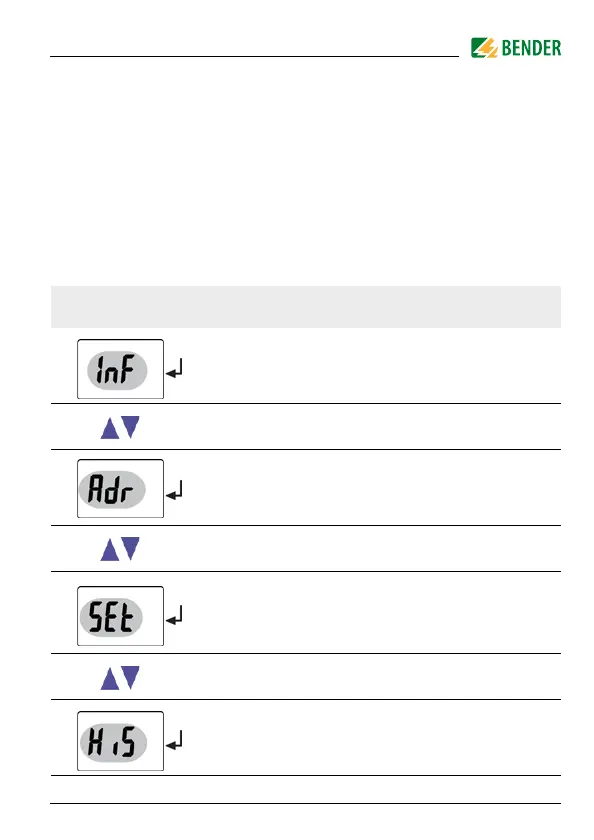
Menu/Button to call
Description/Configurable parameters
Query software version
1. Press the UP/DOWN buttons to go to the menu
Set bus address
2. Press the UP/DOWN buttons to go to the menu
Assign device control parameters
Activate or deactivate password protection, change
password
Restore factory settings
Service menu SyS (locked)
3. Press the UP/DOWN buttons to go to the menu
Query saved alarm value, erase history memory







 To Next Page