System Overview
| 21 |
© Honeywell International Inc. Do not copy without express permission of Honeywell.
KFC 230 AeroCruze Autopilot Pilot's Guide
89000019-001
Rev 2 May 2019
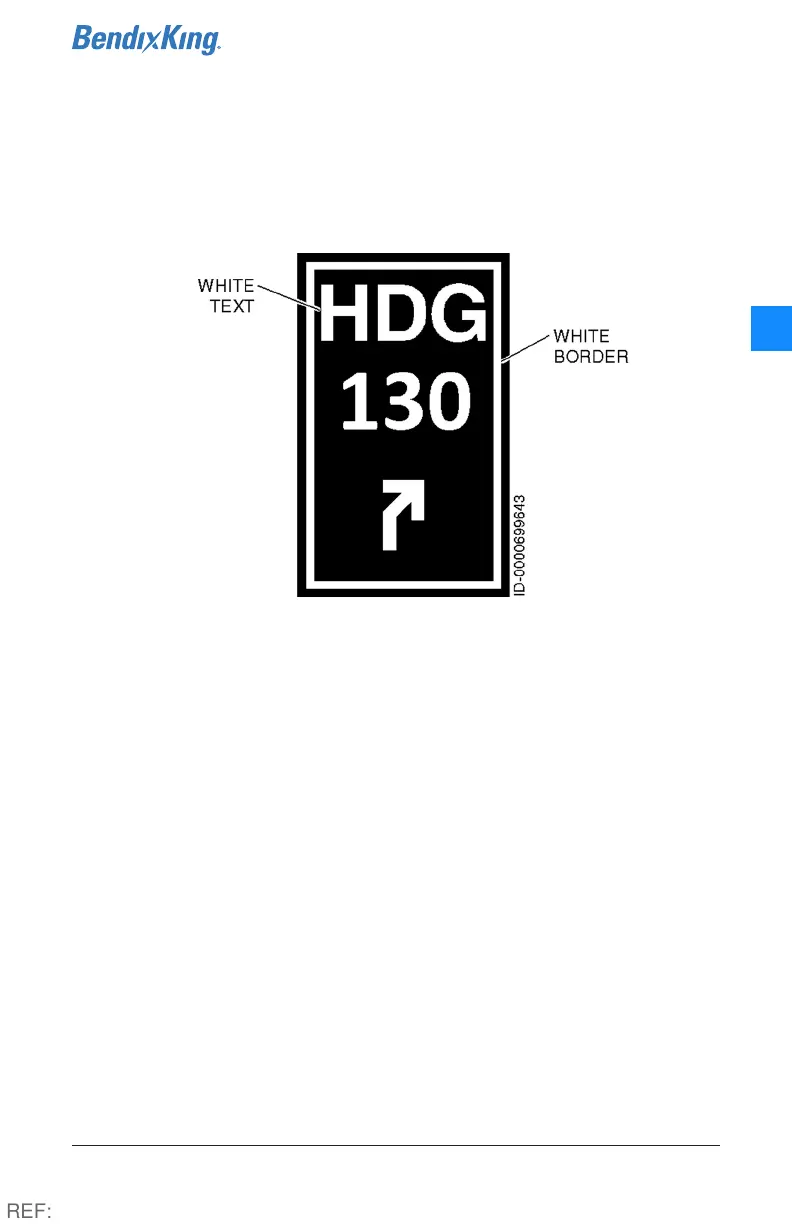
Inactive but available functions display in white text and a white border,
while the content within each button displays the targets that the
autopilot will capture and maintain, allowing the pilot to predict the
effect of engaging a specific mode. (excl. LVL, which displays a dark
blue text and dark blue border).
Figure 14: Inactive functions
Unavailable functions display in gray and user-specifiable parameters
display in cyan.
Additional off-panel controls include a yoke-mounted AP/Trim
disconnect button, Control Wheel Steering (CWS) switch, yoke-
mounted manual trim switch, a Takeoff/Go-Around (TOGA) button on
the throttle or instrument panel. Aircraft equipped with a Horizontal
Situation Indicator (HSI) also have a heading bug and Omni Bearing
Selector (OBS) to integrate with the autopilot.
REF:



 To Next Page