Operation
| 41 |
© Honeywell International Inc. Do not copy without express permission of Honeywell.
KFC 230 AeroCruze Autopilot Pilot's Guide
89000019-001
Rev 2 May 2019
ENROUTE NAV CAPTURE
SCENARIO: FLY HEADING 315° TO INTERCEPT THE 180 RADIAL
INBOUND
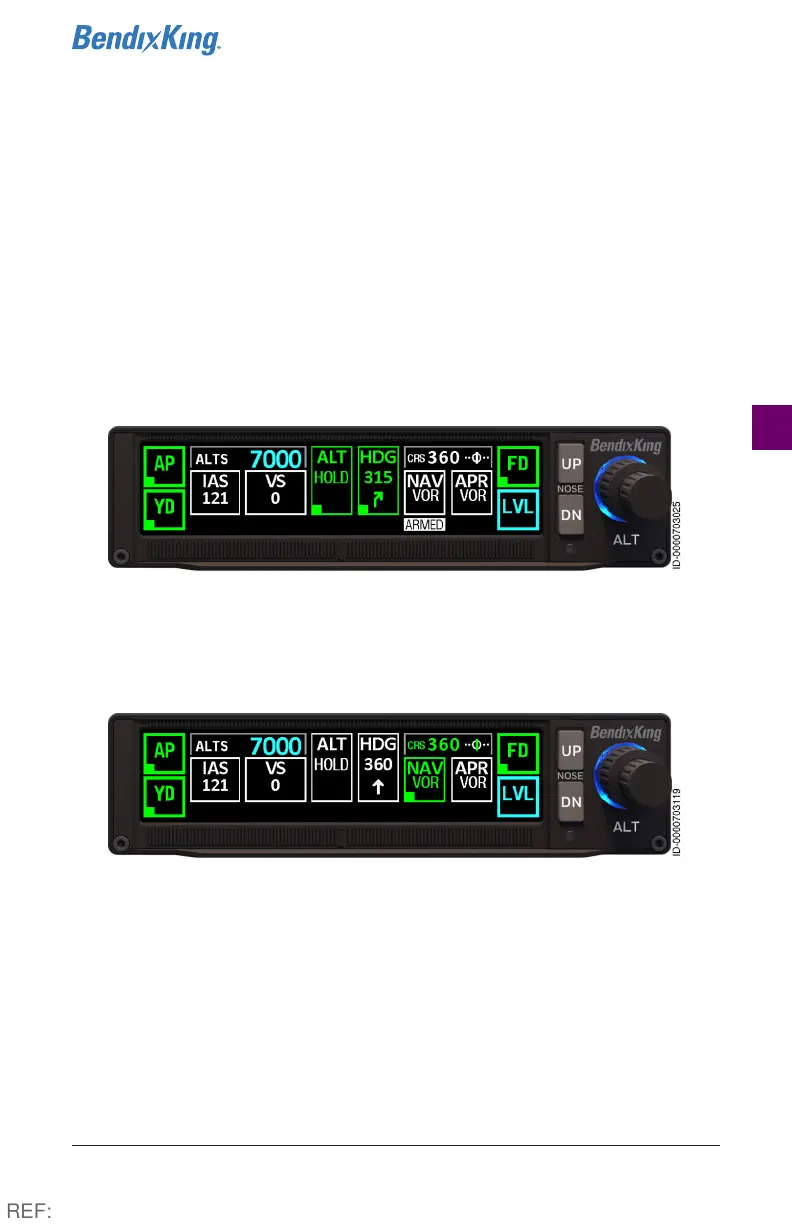
1 With the Autopilot in HDG mode, turn the heading bug to 315°.
2 Select VOR as the navigation source. Turn the OBS to 360° to
intercept the 180° radial inbound. (See NAV radio pilot guide for
specific information.)
3 Press the NAV button. NAV ARMED, navigation source (VOR), and
selected course (360°) below NAV are displayed in white.
Figure19 NAV (VOR) Armed, Steps 1-3
4 During the capture process, NAV and navigation source (VOR)
displays in green and the ARMED flag is removed. HDG information
reverts to white.
Figure20 NAV (VOR) Capture, Step 4
REF:



 To Next Page