Operation
| 50 |
© Honeywell International Inc. Do not copy without express permission of Honeywell.
KFC 230 AeroCruze Autopilot Pilot's Guide
89000019-001
Rev 2 May 2019
MISSED APPROACH
SCENARIO: UNABLE TO SEE RUNWAY ENVIRONMENT AT
DECISION ALTITUDE
1 Press the TOGA button and configure the airplane for a go-around.
NOTE: Pressing the Go-Around button disengages the APR
mode, disengages the autopilot if ON, engages the
flight director in ROLL (wings level), and engages GA
(Pitch Attitude Hold) at the GA pitch angle. The AP
touch control flashes for five seconds then displays in
white. In addition, an “AUTOPILOT DISCONNECT” voice
alert is activated. The autopilot may be re-engaged to
execute a Go-Around.
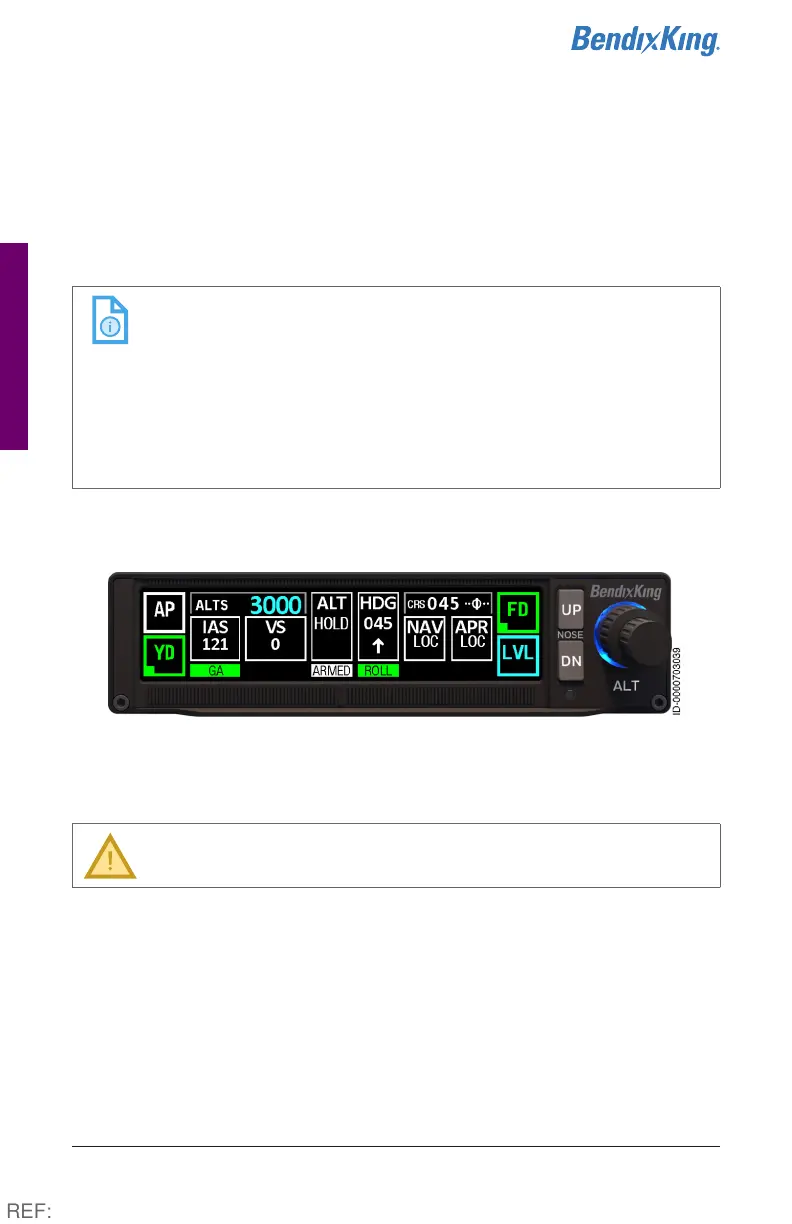
2 ALT HOLD will arm once the selected altitude is greater than
400 feet from the current altitude.
Figure33 Missed Approach, Steps 1-2
3 Press the AP button to re-engage the autopilot.
CAUTION: The autopilot should not be engaged below the
minimum use height.
4 For a GPS-based missed approach, press the NAV button to engage
the GPS mode to fly the missed approach.
OR
For radio-based missed approach, select the desired NAV source.
(See NAV radio pilot guide for specific information.) Press the HDG
or NAV button as necessary to fly the missed approach.
REF:



 To Next Page