Operation
| 40 |
© Honeywell International Inc. Do not copy without express permission of Honeywell.
KFC 230 AeroCruze Autopilot Pilot's Guide
89000019-001
Rev 2 May 2019
HEADING AND ALTITUDE CHANGE
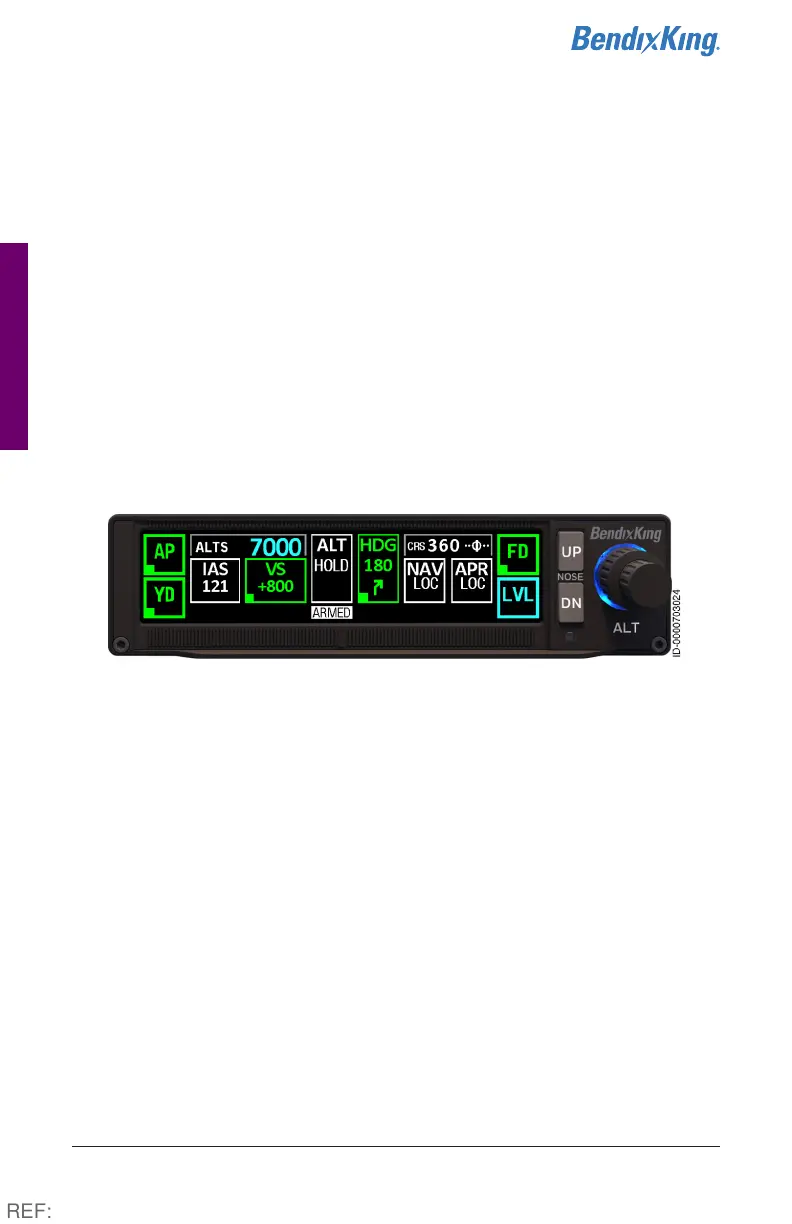
SCENARIO: TURN RIGHT HEADING 180°, CLIMB TO 7,000
1 While in HDG mode, turn the heading bug to 180°. Note the
direction of the turn and selected heading is displayed in the HDG
box (digital HSI only).
2 Enter a cruise altitude of 7,000 feet using the Altitude Selector
knob. 7000 is displayed to the right of ALTS. ALT HOLD ARMED is
also annunciated in white.
3 Press the desired vertical climb (PITCH, IAS, VS) mode.
4 Press the UP/DN soft buttons to adjust the rate. In addition, the
CWS button can be used to manually establish a PITCH climb
profile.
Figure18 Turn and Climb to Assigned Altitude, Steps 1-4
REF:



 To Next Page