Operation
| 48 |
© Honeywell International Inc. Do not copy without express permission of Honeywell.
KFC 230 AeroCruze Autopilot Pilot's Guide
89000019-001
Rev 2 May 2019
7 Set the Go-Around Altitude using the Altitude knob. The selected
altitude is displayed to the right of ALTS.
Figure30 GPS Approach with Glidepath, Steps 6-7
GPS APPROACH WITH MANUAL
STEPDOWN
SCENARIO: VECTORS TO INTERCEPT THE FINAL APPROACH
COURSE
1 Select GPS as the navigation source. (See NAV radio pilot guide for
specific information.)
2 Press the APR button on the autopilot. Selected course, navigation
source (GPS), and APR ARMED are displayed in white.
3 Once the course captures, APR displays in green and GPS displays
in magenta. HDG information reverts to white.
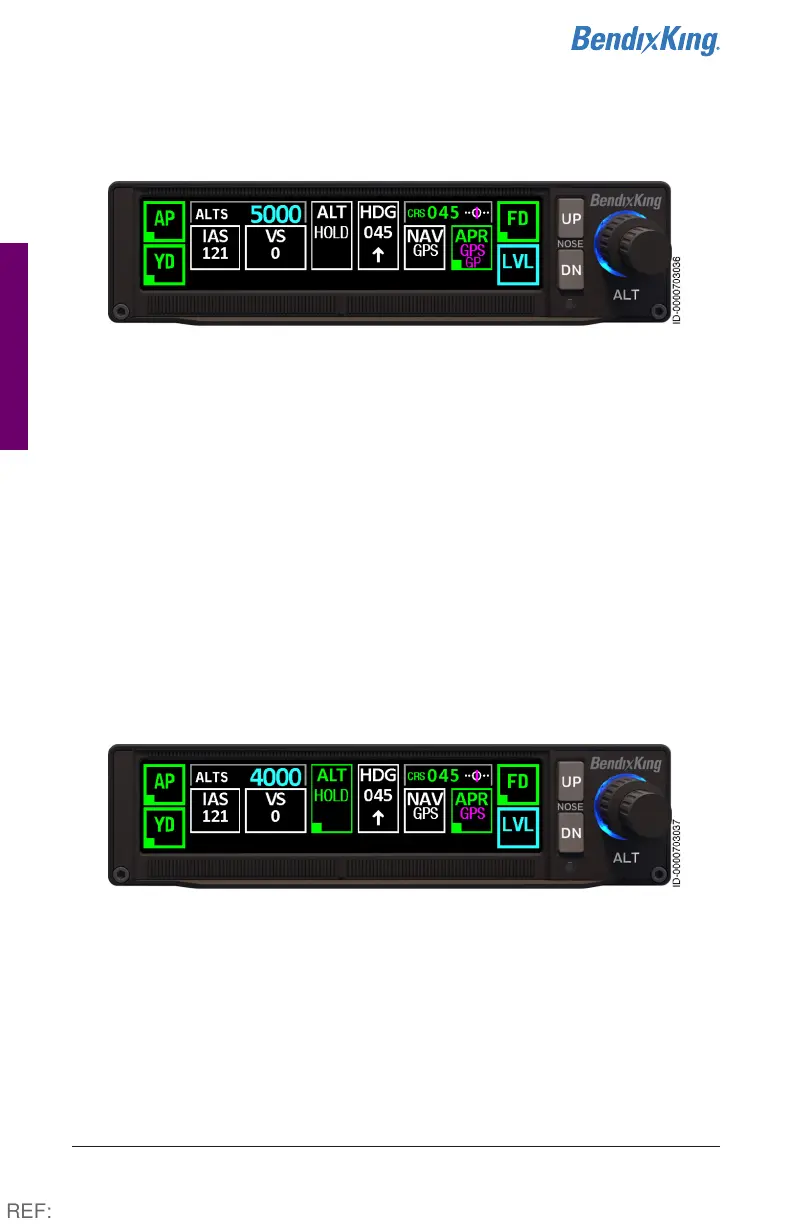
Figure31 NAV GPS Manual Step-down, Steps 1-3
4 Set next step-down altitude using the Altitude Selector knob.
Altitude displays to the right of ALTS. ALT HOLD ARMED is displayed
in white.
5 Crossing the stepdown fix, or FAF, press the desired vertical descent
(PITCH, IAS, VS) mode.
6 Press the UP/DN soft buttons to adjust the rate.
REF:



 To Next Page