RBJ Series of Rolling Bridge Jacks 19 P/N 5900004 — June 2018 — Rev. C2
Preparing for Operation
To prepare the Rolling Bridge Jack for normal operation, you need to:
• Fill the fluid reservoir on the Air-Operated Hydraulic Pump; it comes empty.
• Perform an operational test to make sure the Jack is working normally.
When you receive your Rolling Bridge Jack, the Hydraulic Fluid reservoir is empty.
U.S. law and insurance rules prevent us from shipping products with Hydraulic Fluid included. You
must fill the reservoir of the Air-Operated Hydraulic Pump with approved fluids before using your Jack.
⚠ CAUTION Do not run the Air-Operated Hydraulic Pump without fluid; you will damage it.
Approved fluids are any general purpose ISO-32, ISO-46, or ISO-68 Hydraulic Fluid or approved ATF
fluids such as Dexron III, Dexron VI, Mercon V, Mercon LV, or any Synthetic Multi-Vehicle ATF.
To check the fluid reservoir of the Air-Operated Hydraulic Pump:
1. Remove the vented fill cap.
2. Insert a dipstick or piece of plastic into the tank until it hits the bottom.
3. Remove the dipstick or piece of plastic and measure the amount of fluid.
The fluid level should be from 3.35 to 3.5 inches deep.
4. If the current level is below 3.35 inches, add approved fluid until it is between 3.35 and 3.5 inches.
5. If the current level is already between 3.35 and 3.5 inches, no action needs to be taken.
6. Reinstall the vented fill cap.
You do not need a vehicle on the Jack to test it.
To test your Rolling Bridge Jack:
⚠ WARNING When raising or lowering your Jack, keep body parts, especially your hands, away
from the Scissor Structure and the Adjustable Arms. You could be injured if you are
not careful.
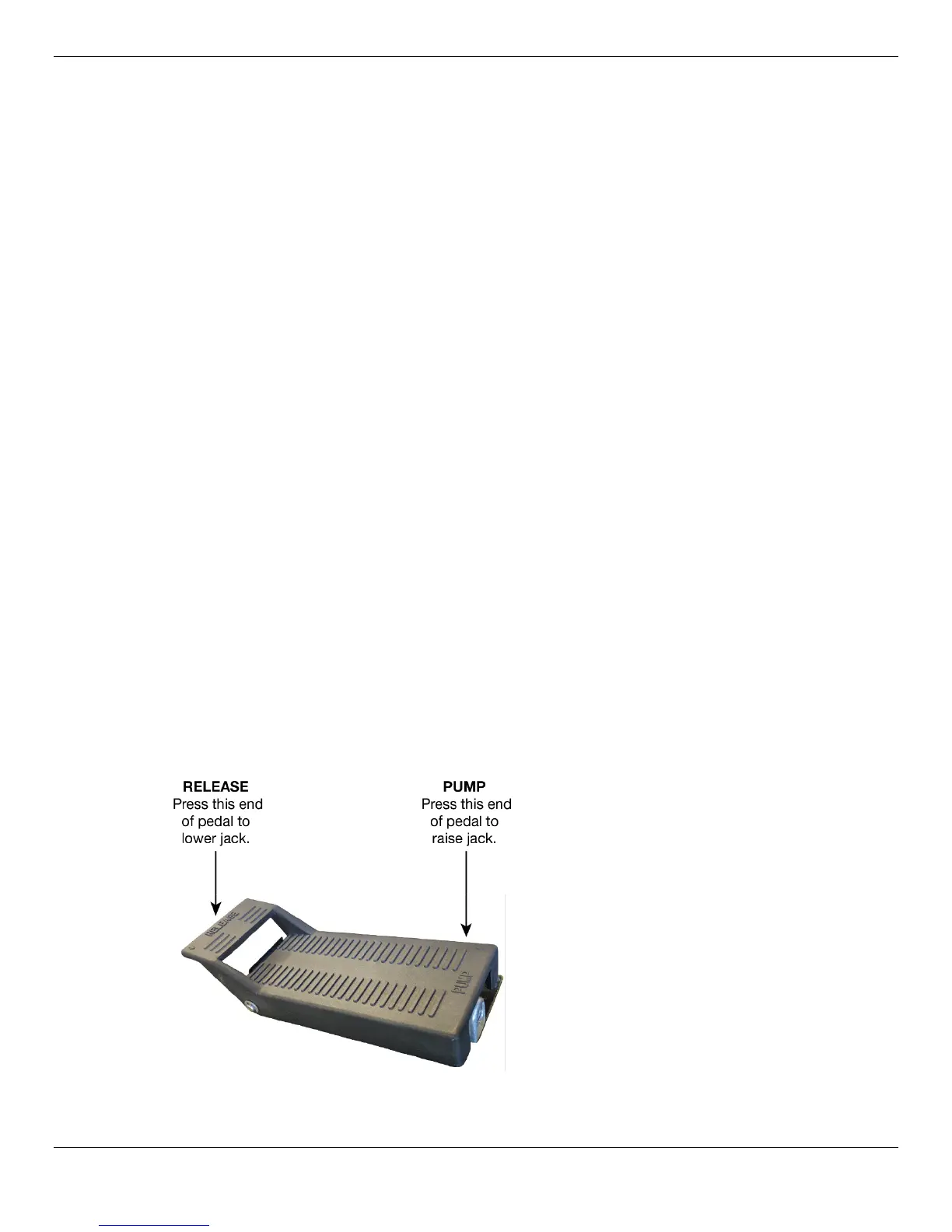
1. Press and hold the PUMP end of the pedal to begin raising the Rolling Bridge Jack.
If the Rolling Bridge Jack does not raise, refer to the Troubleshooting section.


 To Next Page