14
Introduction
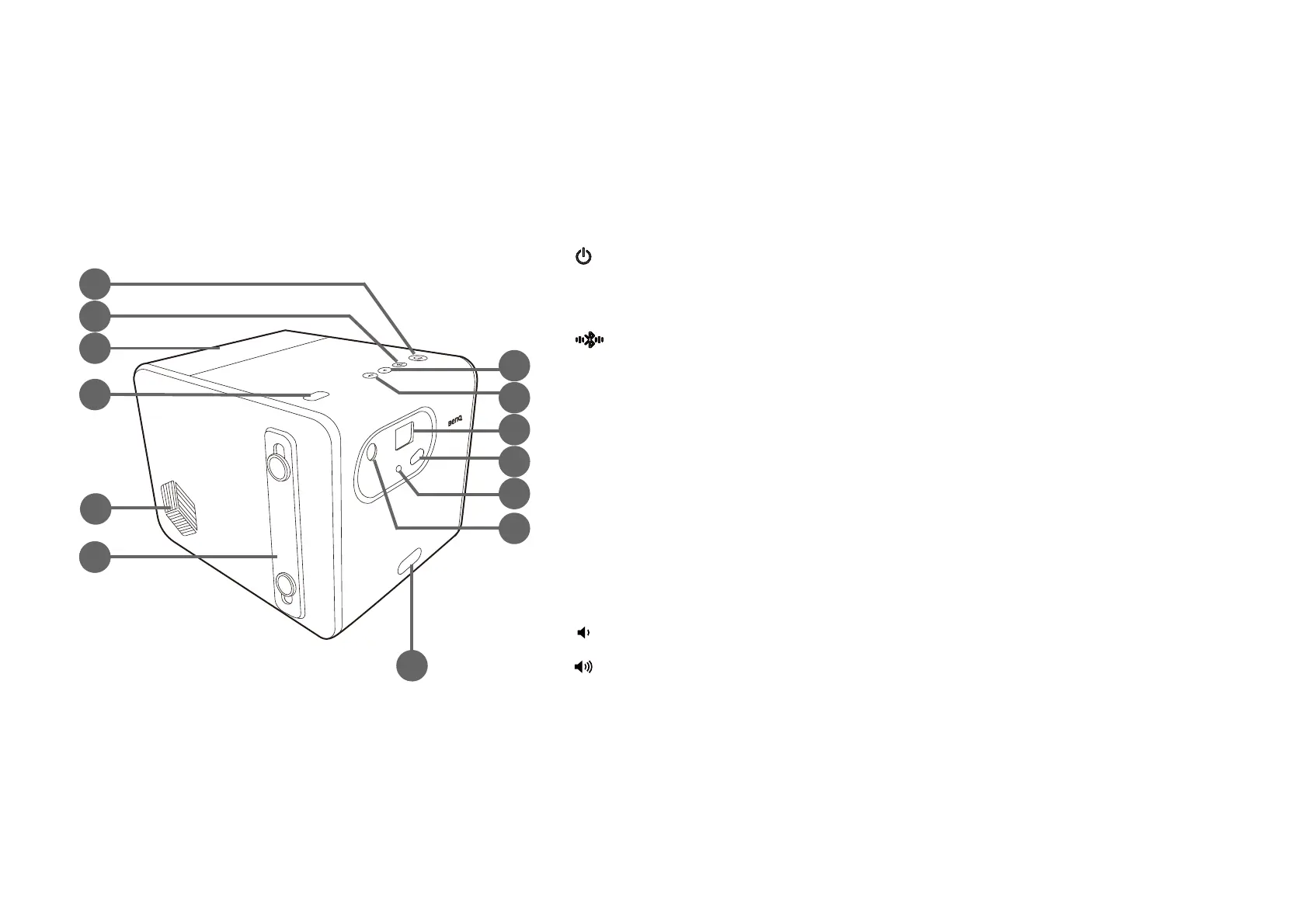
Projector exterior view
Front, top, and left side view
1. Power button and LED
Turns the projector on and off. See Starting up the projector on page 33 for more
details. See LED indicators on page 19 for details on the LED behavior.
2. Bluetooth button and LED
Activates Bluetooth speaker mode. See Using the projector as a Bluetooth speaker
on page 53 for more details. See LED indicators on page 19 for details on the LED
behavior.
3. Back cover
Remove to install the ATV dongle (QS01). See Installing the ATV dongle on page
30 for more details.
4. Ambient light sensor
5. Speaker
6. Hand strap
7. Volume down button
8. Volume up button
1
2
3
4
5
6 6
8
9
10
11
12
13
7



 To Next Page