32
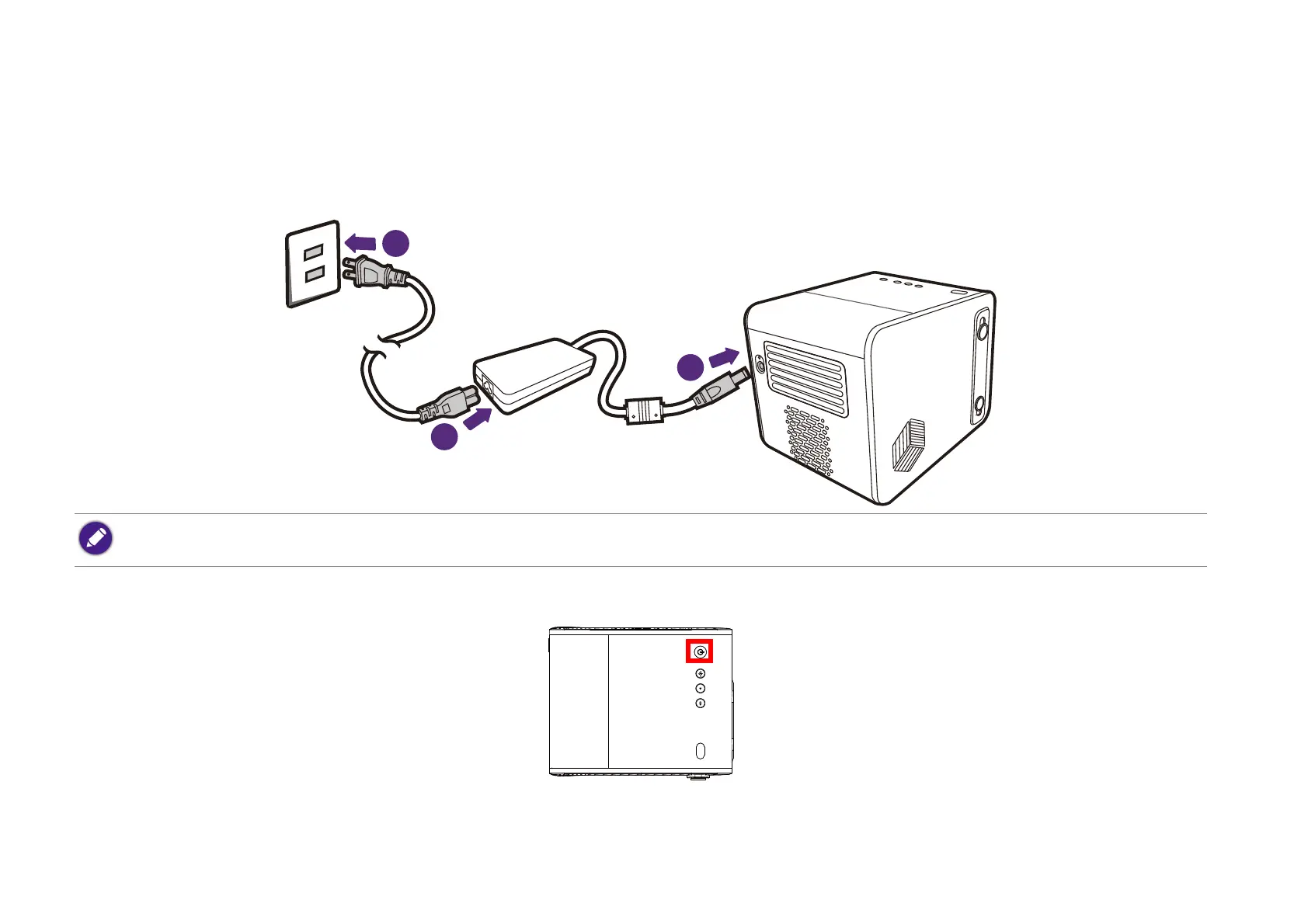
Charging the battery
1. Connect the adapter to the power adapter port.
2. Connect the power cord to the power adapter.
3. Connect the power cord to a power outlet.
The power LED indicator will illuminate according to its charge status, for a full charge wait until the indicator lights up solid green (see LED indicators
on page 19 for more information on LED behavior).
• The projector also supports charging via a power bank with voltage of 19V, 4.73A.
• When charged, the projector is able to supply power via both its USB-C (5V, 1.5A) and USB-A (5V, 1.5A) ports.



 To Next Page