22
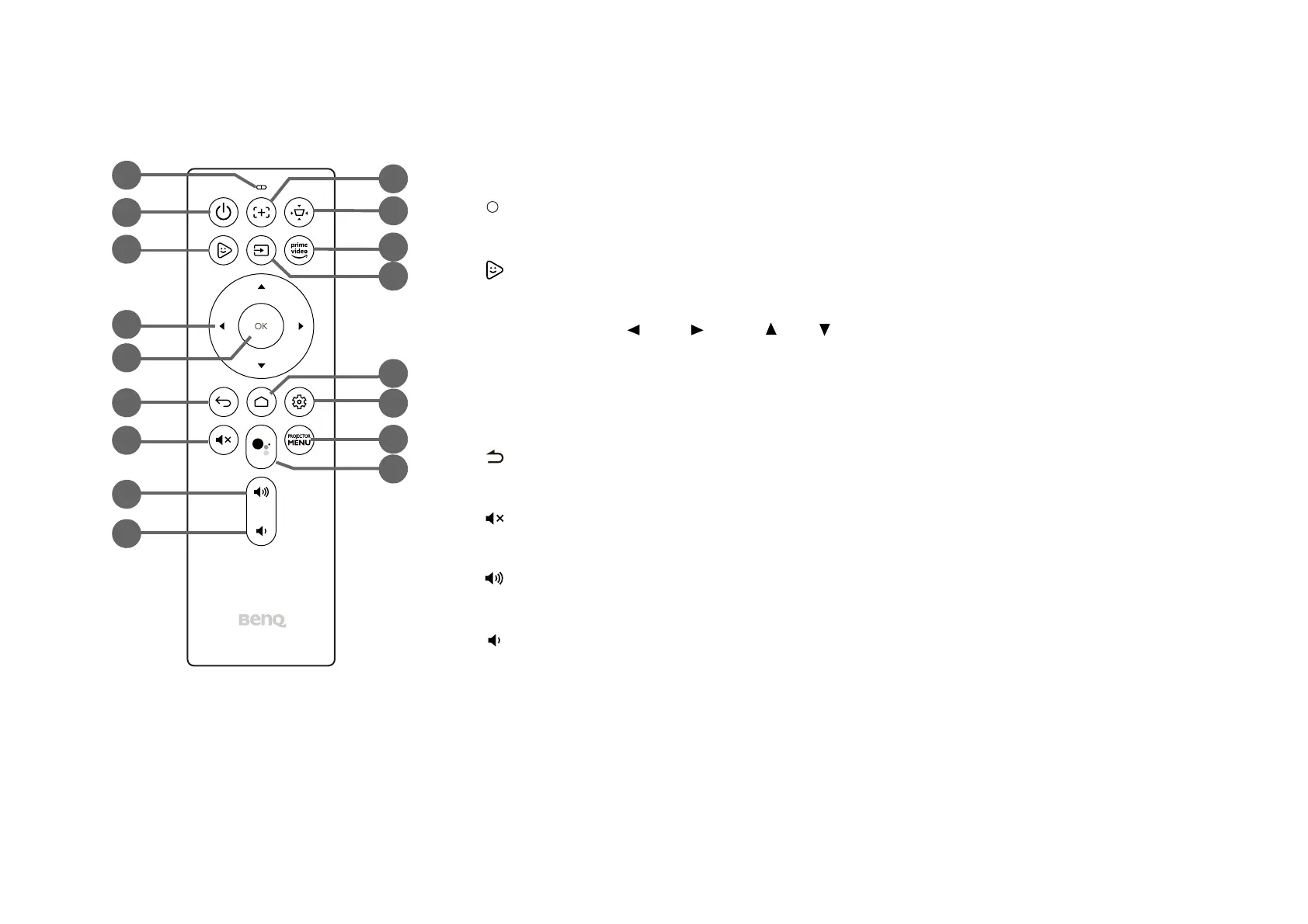
Remote control
1. Microphone
Receives spoken commands for Google Assistant.
2. Power
Turns the projector off and on.
3. FamiLand
Launches the FamiLand app in Android TV.
4. Arrow buttons ( Left, Right, Up, Down)
Used as navigation buttons to select the desired menu items and to make adjustments.
5. OK
Used to confirm selections.
6. Back
Returns to the previous menu.
7. Mute
Mutes the projector’s audio.
8. Volume Up
Increases the projector volume.
9. Volume Down
Decreases the projector volume.
12
2
3
4
6
7
8
11
13
9
5
1
10
14
15
16
17



 To Next Page