23
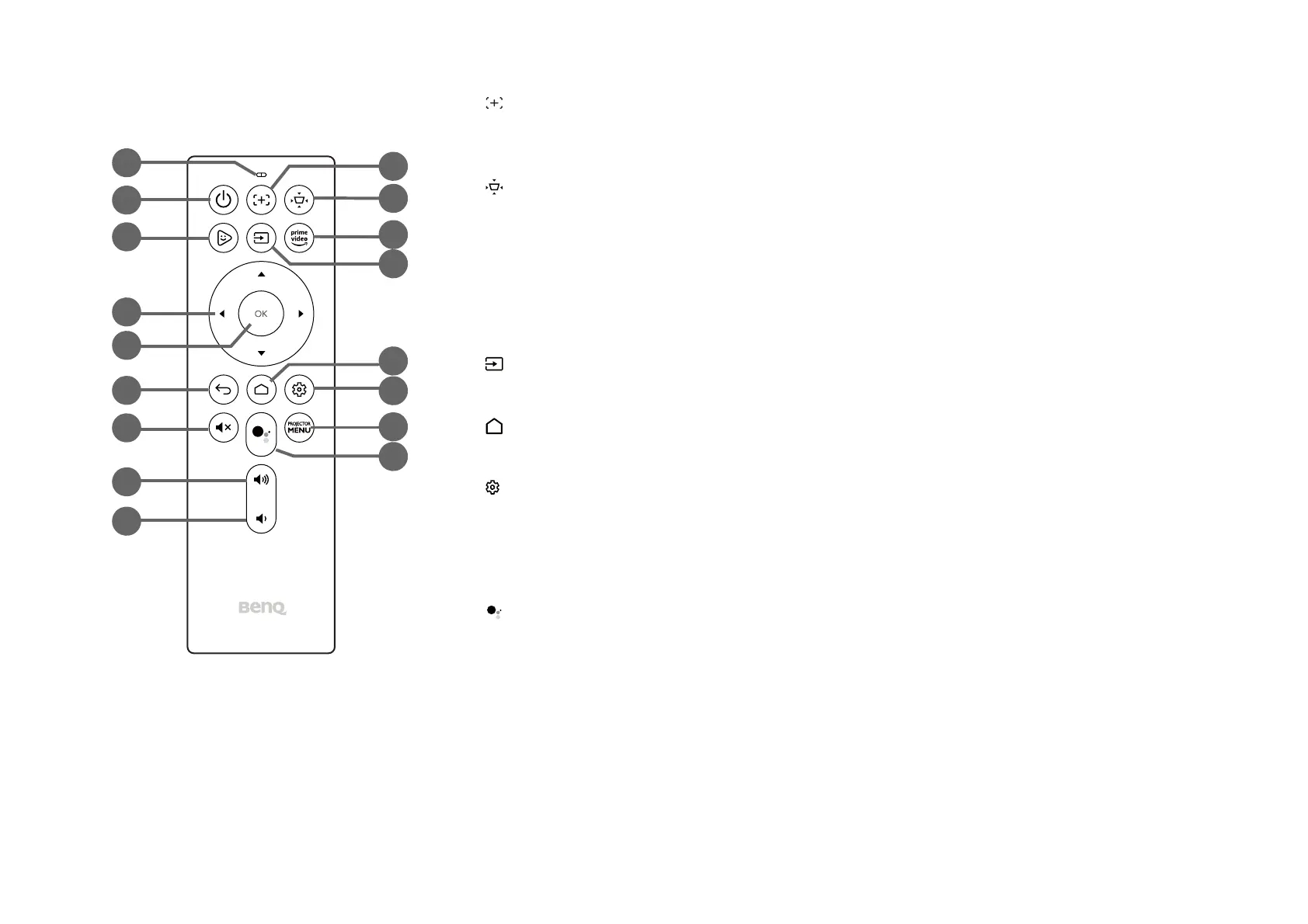
10. Focus
Adjusts the focus for the projector automatically. See Fine-tuning the image clarity on page 39
for more details.
11. Keystone / Corner Fit
Adjusts the keystone settings for the projector. You may switch this button to adjust the
keystone or corner fit settings.
See Correcting keystone on page 40 and Installation on page 61 for more details.
12. Prime Video
Launches Amazon’s Prime Video streaming service.
13. Source
Opens the input source menu.
14. Home
Returns to the Android TV home menu.
15. Settings
Launches the Android TV settings menu.
16. PROJECTOR MENU
Launches the projector’s on-screen settings menu.
17. Google Assistant
Activates Google Assistant, Google’s voice powered virtual assistant service. For more
information on Google Assistant, including supported commands and phrases, check Google’s
official website.
12
2
3
4
6
7
8
11
13
9
5
1
10
14
15
16
17



 To Next Page