English
28
Operations
Correcting Corner Fit
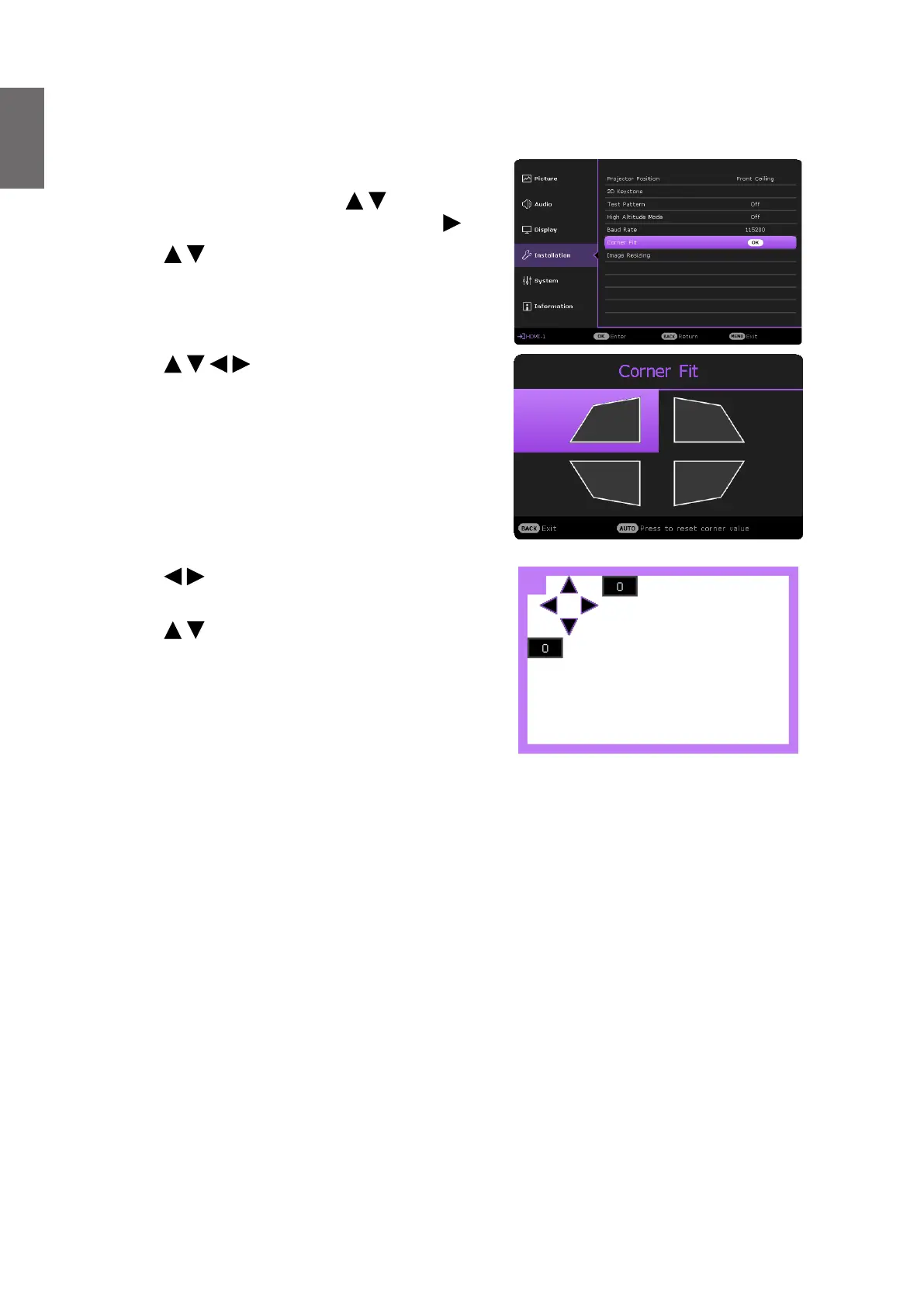
Manually adjust four corners of the image by setting the horizontal and vertical values.
3. Press / / / to select one of the four
corners and press OK.
Corner Fit and 2D Keystone Adjustment Notice
The corner t function is closely related to the 2D keystone function as both make adjustments to
correct picture distortion. Therefore, when correcting picture distortion, both corner t and 2D
keystone functions should be used in conjunction to achieve the best picture shape.
To achieve the best picture shape:
• When installing the projector, align the projector to the screen so they are as perpendicular to
each other as possible in order to minimize picture distortion.
• When making corner t adjustments, if the desired effect cannot be achieved, adjust the 2D
keystone value and try again.
• When making 2D keystone adjustments, if the desired effect cannot be achieved, adjust the
corner t value and try again.
Using the OSD menu
1. Press MENU and then press / until the
Installation menu is highlighted and press ..
2. Press / to highlight Corner Fit and press
OK. The Corner Fit page displays.
4. Press / to adjust vertical values from 0 to
60.
5. Press / to adjust horizontal values from 0
to 60.



 To Next Page