English
38
Menu operation
Main menu Submenu Options
Information
Native Resolution
Detected Resolution
Source
Picture Mode
Light Source Mode
3D Format
Color System
Light Usage Time
Firmware Version
Service Code
Basic menu
Brightness
The higher the value, the brighter the image. Adjust this control so the black
areas of the image appear just as black and that detail in the dark areas is visible.
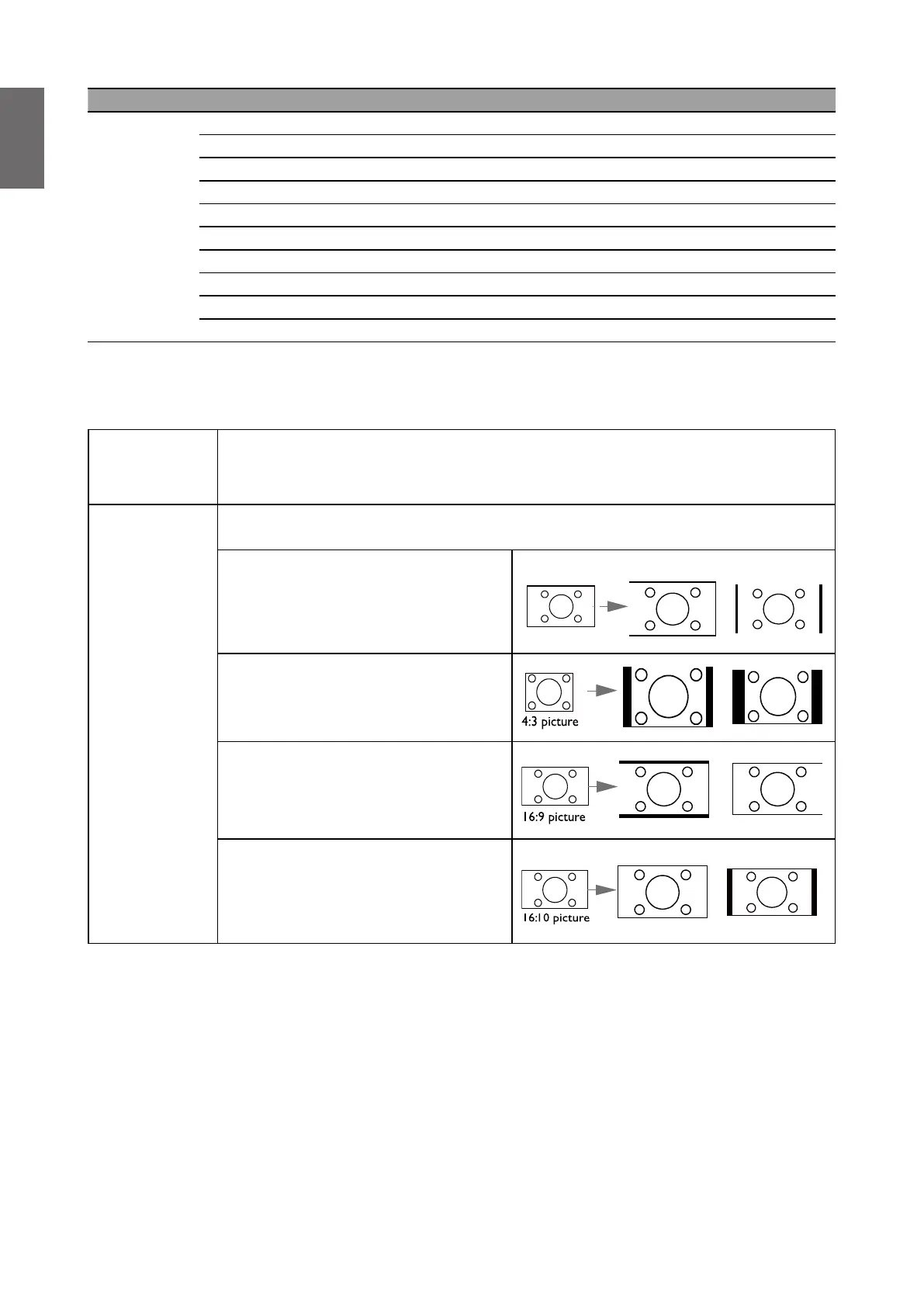
Aspect Ratio
There are several options to set the image's aspect ratio depending on your
input signal source.
• Auto: Scales an image
proportionally to t the projector's
native resolution in its horizontal or
vertical width.
15:9 picture
(LW855UST) (LH856UST)
• 4:3: Scales an image so that it
is displayed in the center of the
screen with a 4:3 aspect ratio
• 16:9: Scales an image so that it
is displayed in the center of the
screen with a 16:9 aspect ratio
• 16:10: Scales an image so that it
is displayed in the center of the
screen with a 16:10 aspect ratio



 To Next Page