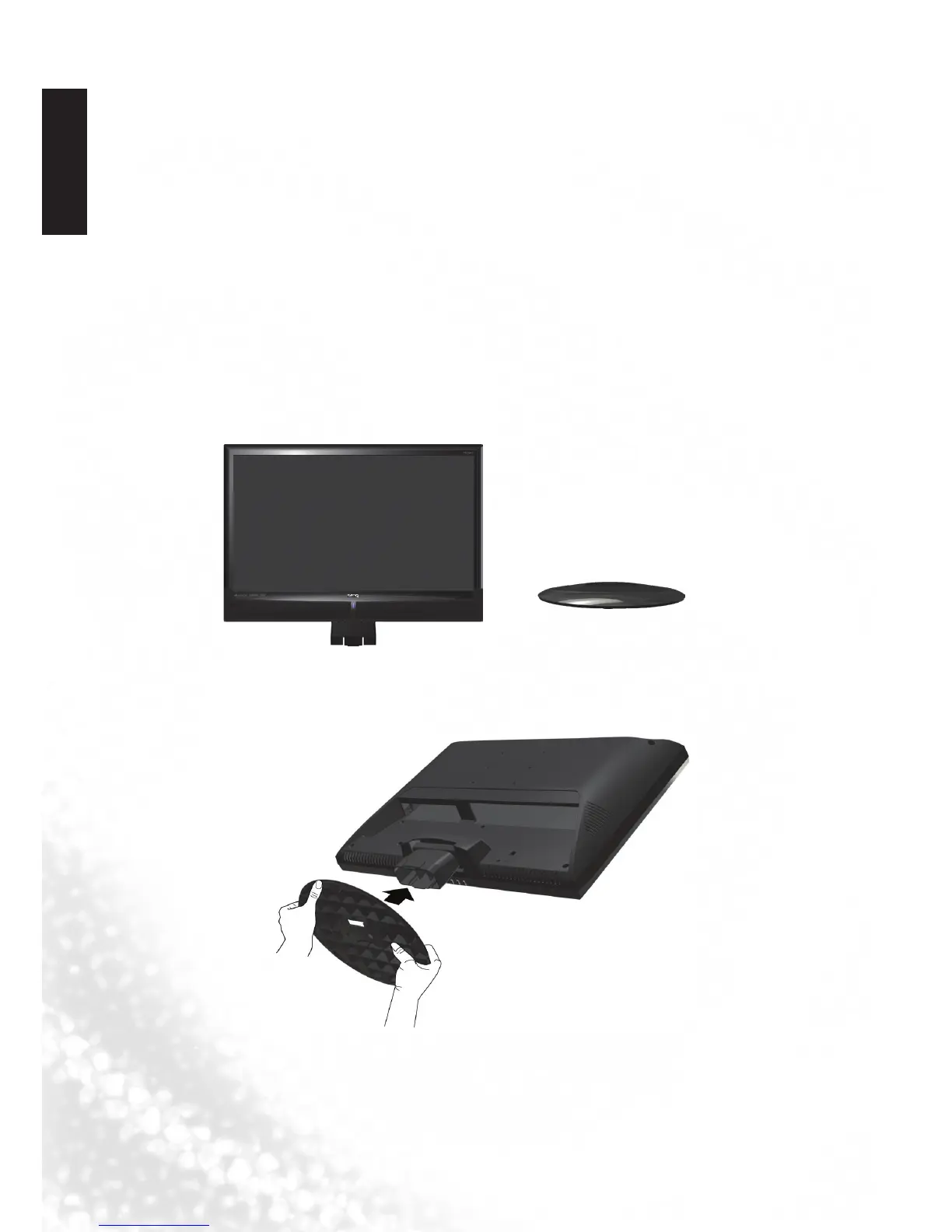
4. Installing the Base
Important safety notes
Please pay attention to the following before installing:
• Forsafetyreasons,itisrecommendedthattheinstallationbecarriedoutbyat
least two adult persons.
• TheLCDpanelofthedisplayisextremelyfragileandsubjecttodamageseasily.
Avoid touching the LCD panel when installing or moving the display, and
take precautions not be let any objects come into contact with the panel. It is
recommended that you use a soft, clean and lint-free towel to protect the display
when installing.
• Payattentiontothestabilityofthelocationwherethedisplaywillbeplaced.
Follow the instructions below to install the TV stand:
Open the box, and make sure all necessary parts are in the box. The package
contains:
1. Cover an even stable surface with a soft cloth. Place the LCD TV unit face down
on the cloth. Fit the stand onto the bottom of the LCD TV unit as shown:
LCD TV
Stand
2. Then push until stand into the LCD TV’s stand socket.



 To Next Page