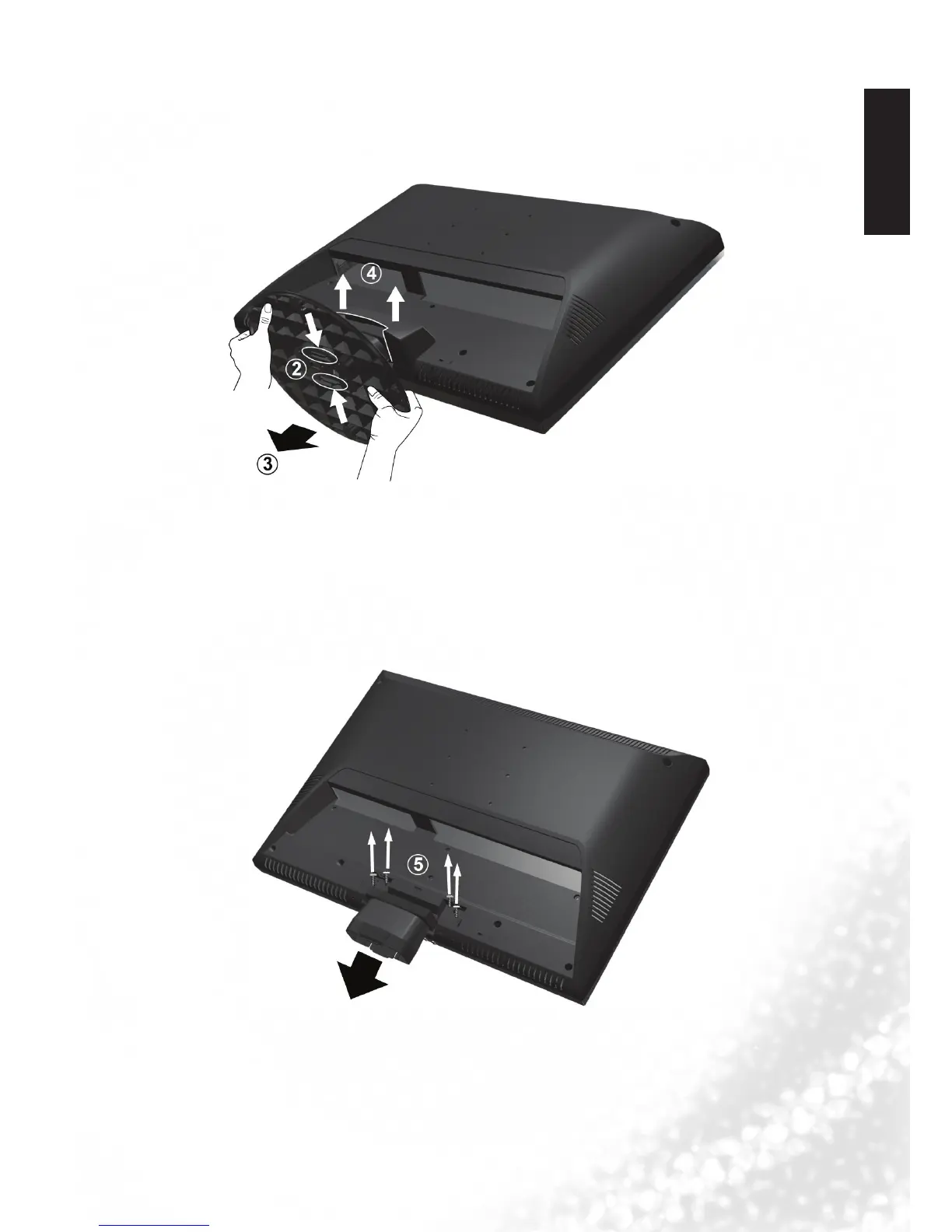
5. Disconnecting the base and arm
1. Cover an even stable surface with a soft cloth. Place the LCD Display unit face down
on the cloth. Fit the stand onto the bottom of the LCD Display unit as shown:
2. Push inward the two inserts located under the stand base of the LCD Display, as
shown above by (2), to take the inserts apart from the base.
3. Remove the base from the arm, as shown above by (3).
4. Pull the hinge cover on the arm upward to remove it, as shown above by (4).
5. Remove the 4 screws from the hinge, then pull off the arm slowly, as shown below by
(5).
6. Removal of the arm from the stand base completed.



 To Next Page