Android system interface50
Draw
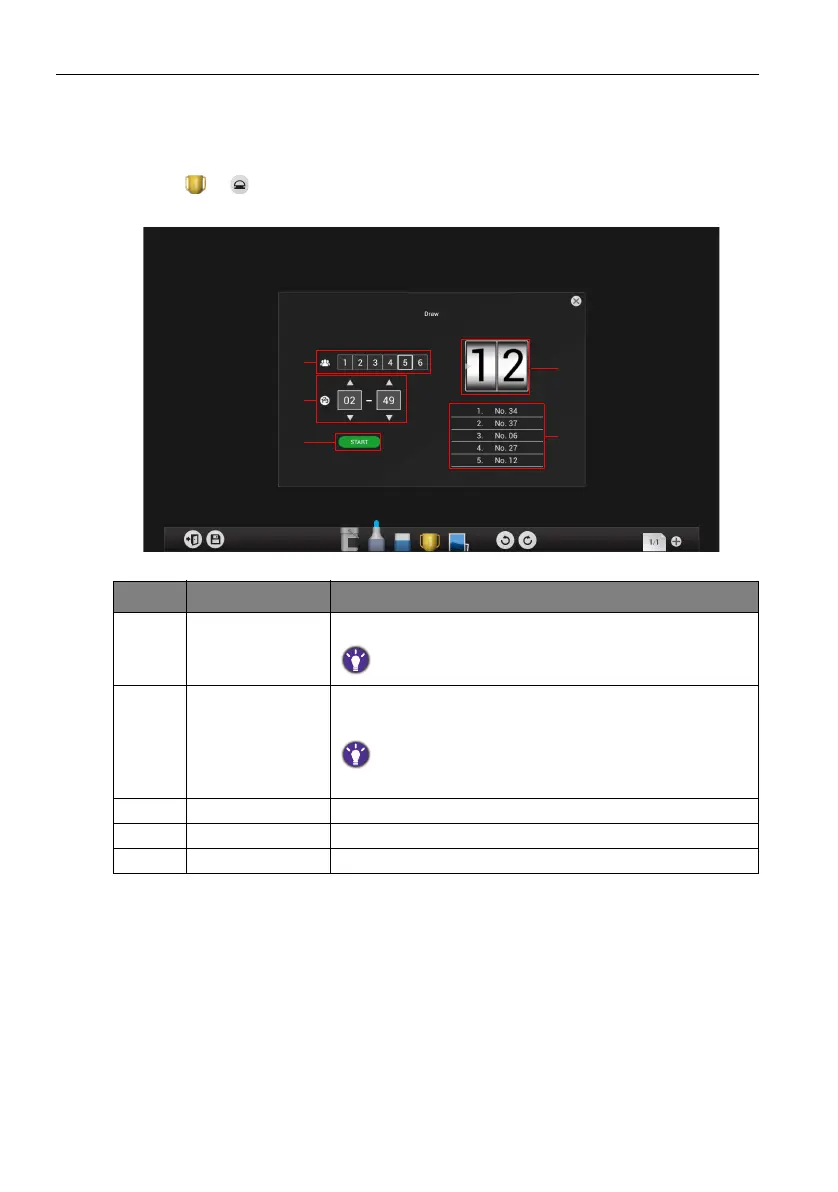
Draw allows you to randomly draw 1 to 6 participants from a pool of up to 100
candidates for interactive games/activities.
1. Click > in EZWrite 3.0.
2. The Draw screen will appear on the display as shown below.
Item Function Description
1 Participants Click to select the number of participants to be drawn.
The maximum number of participants is six.
2 Candidates Swipe up/down to set the pool of candidates from which
the participants will be drawn.
The number of candidates in the pool must be higher then the
number of participants selected.
3 Start Click to start the drawing process.
4 Draw Displays the current participant drawn.
5 Participants List Displays the total list of participants drawn.



 To Next Page