Android system interface56
Adding pages
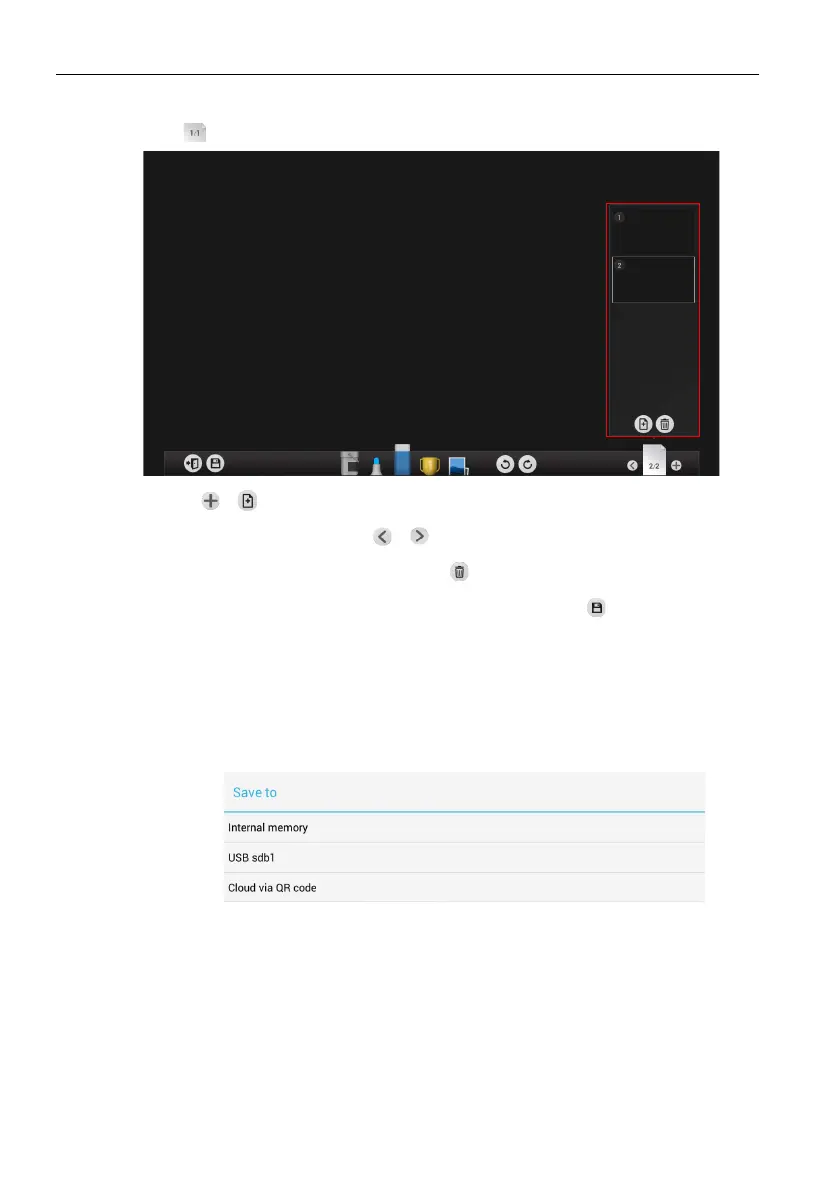
1. Click to view a list of pages which have been added.
- Click / to add a new page to draw or create annotations on.
- Click on a thumbnail or click / to navigate between the pages.
- Select the thumbnail of a page and click to delete the page selected.
- To save multiple pages, delete all undesired pages then click . Refer to Saving files
on page 56 for more information.
Saving files
The RP653/RP703/RP750/RP750K display allows you to save drawings or annotations as
image files either in the internal memory of the display, in connected storage devices, or
in the cloud for download by mobile devices.
1. Click the save icon from the respective menu.
- Click Internal memory to save the image in the Notes > EZWrite3 folder
found in EZFinder.
- Click the name of any connected external storage device to save the image in the
corresponding storage device.



 To Next Page