19 Operation
4. If you are prompted for a password, press the arrow keys to enter a 6-digit password. See
Utilizing the password function on page 22.
5. Switch all of the connected equipment on.
The projector will search for input signals. The current input signal being scanned appears. If
the projector does not detect a valid signal, the message “No Signal” will continue displaying
until an input signal is found.
You can also press /SOURCE to select your desired input signal. See Switching input signal
on page 23.
Step 3:
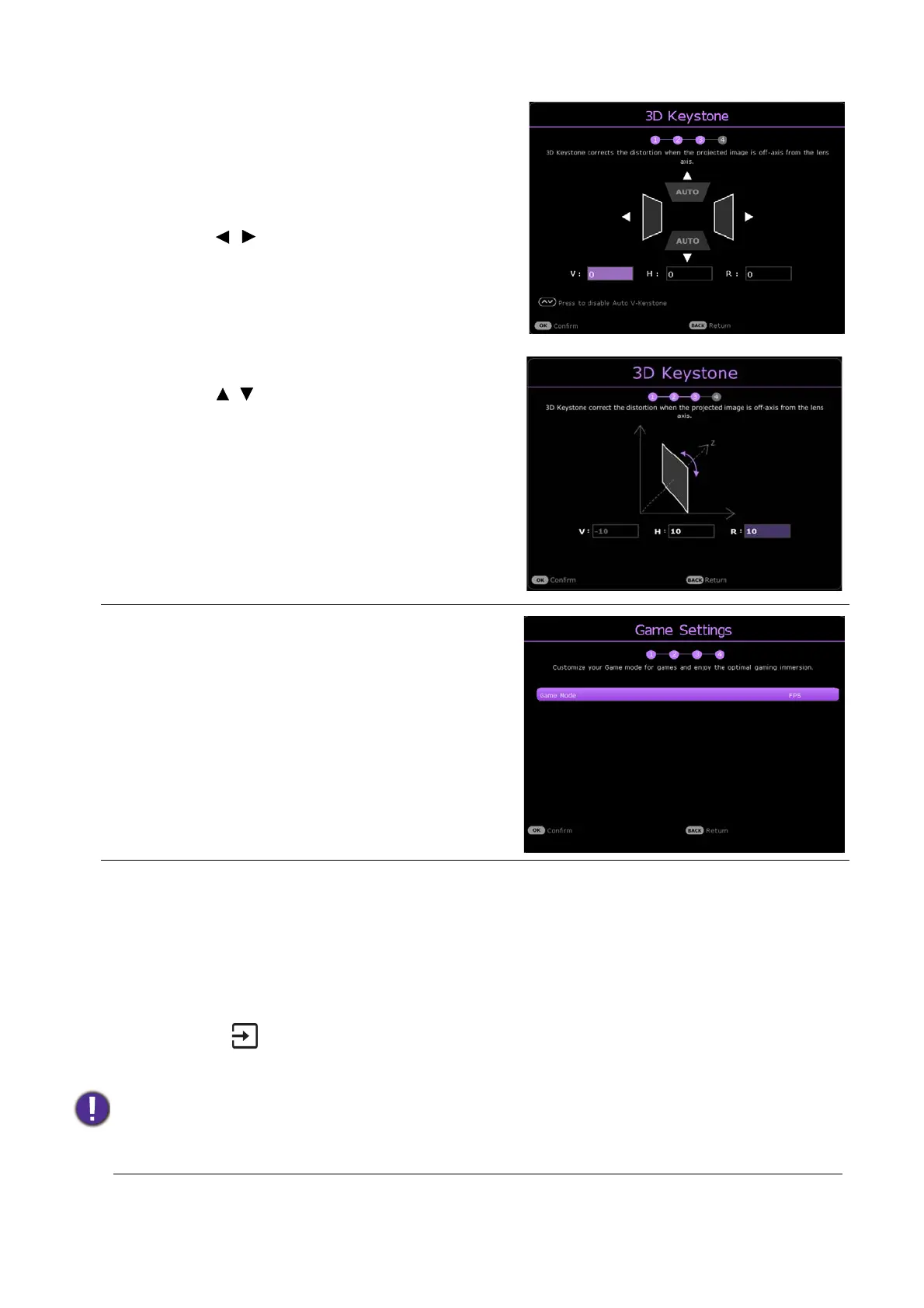
Specify 3D Keystone.
If the projected image is distorted due to an
angled projection, perform the following steps to
correct the projected image shape.
• Press / to select V, H, or R.
Selecting V corrects the vertical sides
keystone.
Selecting H corrects the horizontal sides
keystone.
Selecting R rotates the projected images
clockwise or counterclockwise.
• Press / to adjust its value.
When done, press OK to proceed to the next step.
For more information about keystone, see
Correcting keystone on page 15.
Step 4:
Specify Game Settings.
You can select a preferred game mode, and
adjust more image settings in this menu.
See Game Settings on page 28 for details.
Now you’ve completed the initial setup.
• Please use the original accessories (e.g. power cord) to avoid possible dangers such as electric shock
and fire.
• If the projector is still hot from previous activity, it will run the cooling fan for approximately 90 seconds
before energizing the lamp.



 To Next Page