Setting up the display 23
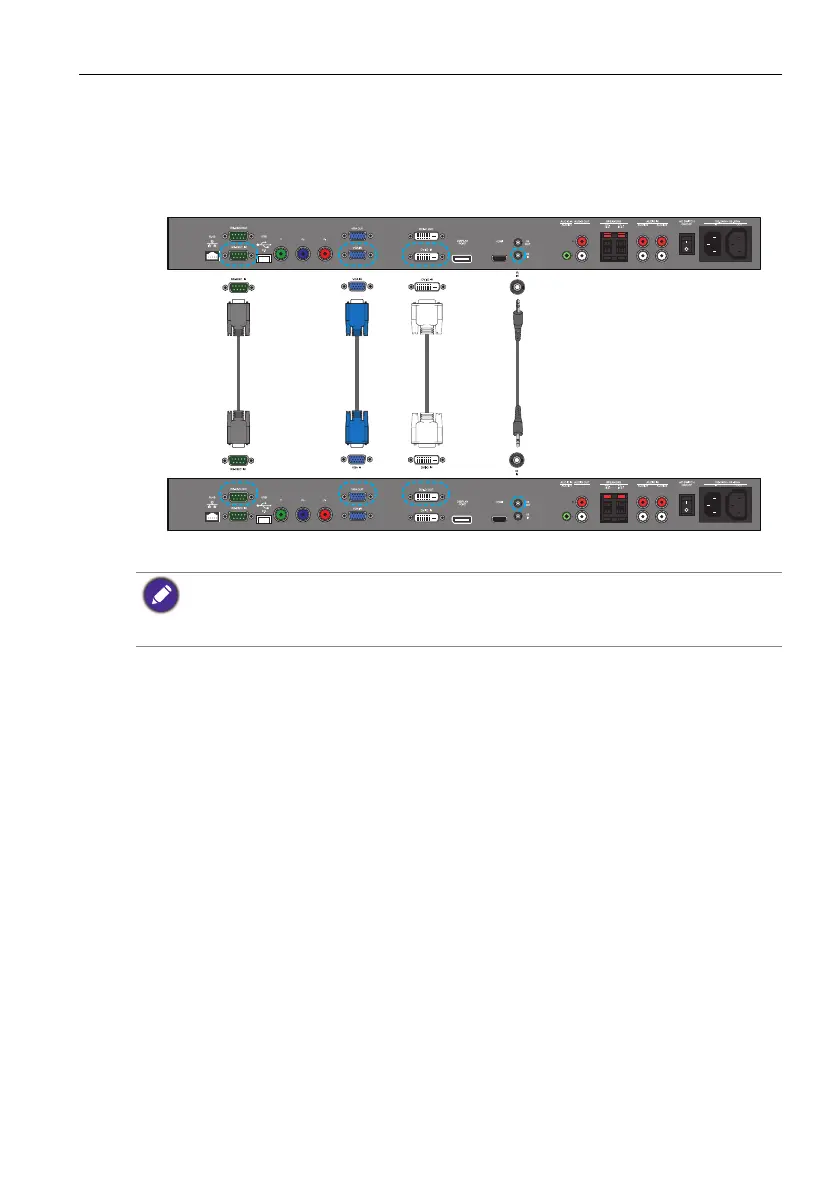
Connecting multiple displays
You can connect multiple displays serially (daisy chain) to a computer for management.
The number of displays you can connect serially depends on the resolution of the input
signal you use.
• This RS-232C connection requires an RS-232C port equipped computer with the display
management software installed.
• The cables (except for the VGA cable) are not supplied and should be purchased separately.
• To operate the multiple displays, see IR out on page 47 and Tiling on page 47.
IR
cable
DVI
cable
VGA
cable
RS-232C
cable
The first display
Additional display


 To Next Page